PeriPal
Perimenopause tracking for iPhone and iPad
Understand your body. Be heard by your doctor.
Track your symptoms, see patterns, and bring a clearer picture to your next appointment.

 Designed for iPhone and iPad
Free to download. Coming soon to the US App Store.
-
Check in each day.
Tap, don’t type. Rate your sleep, mood and energy, add your symptoms, or log one with a single tap from a widget.
-
See patterns over time.
Your check-ins add up to trends, the things that tend to happen together, and how your days compare before and during a treatment.
-
Bring a clearer picture.
Turn what you’ve logged into a report and a list of questions for your next appointment.
1 · Reports: your next appointment, in focus
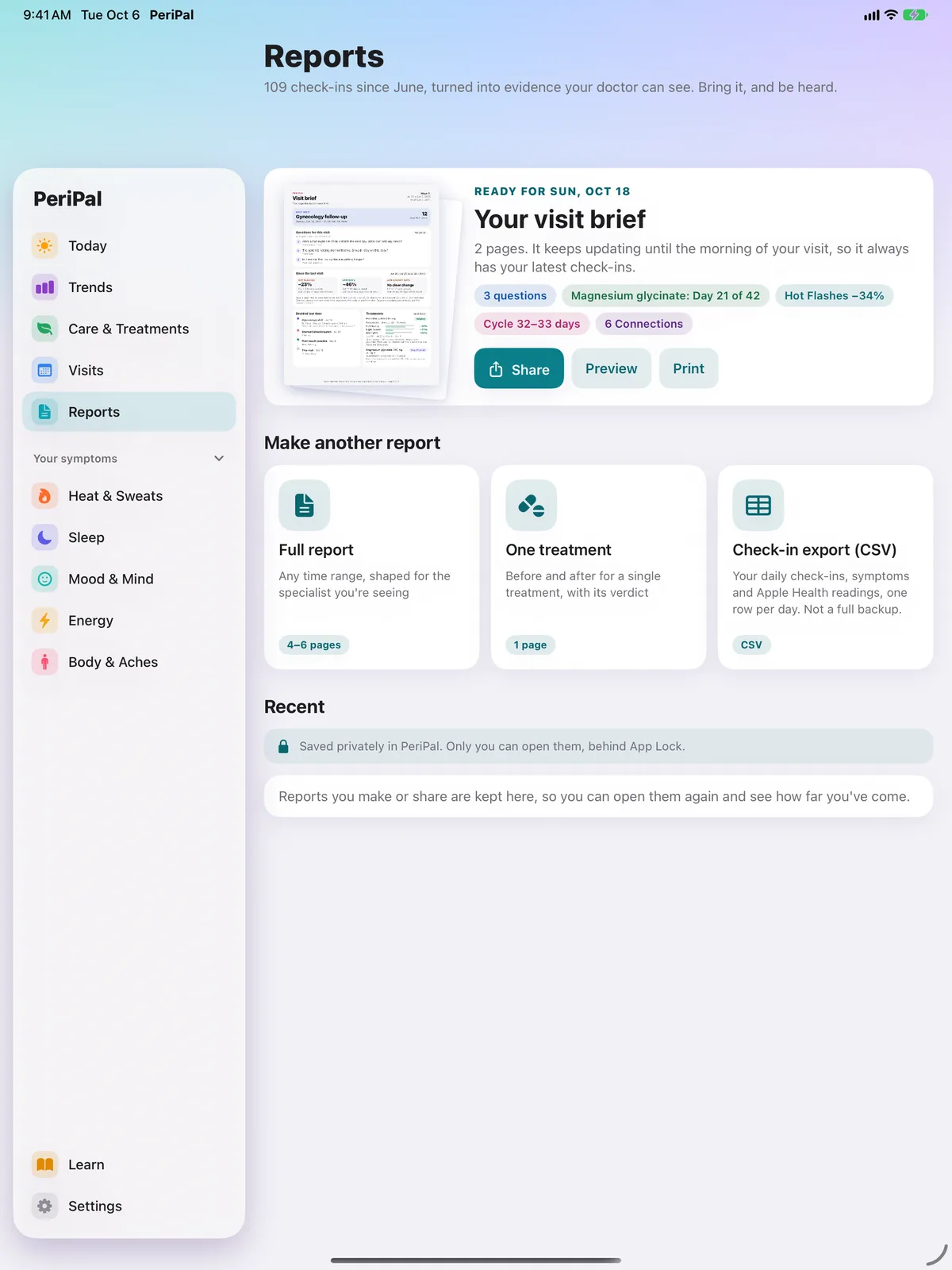
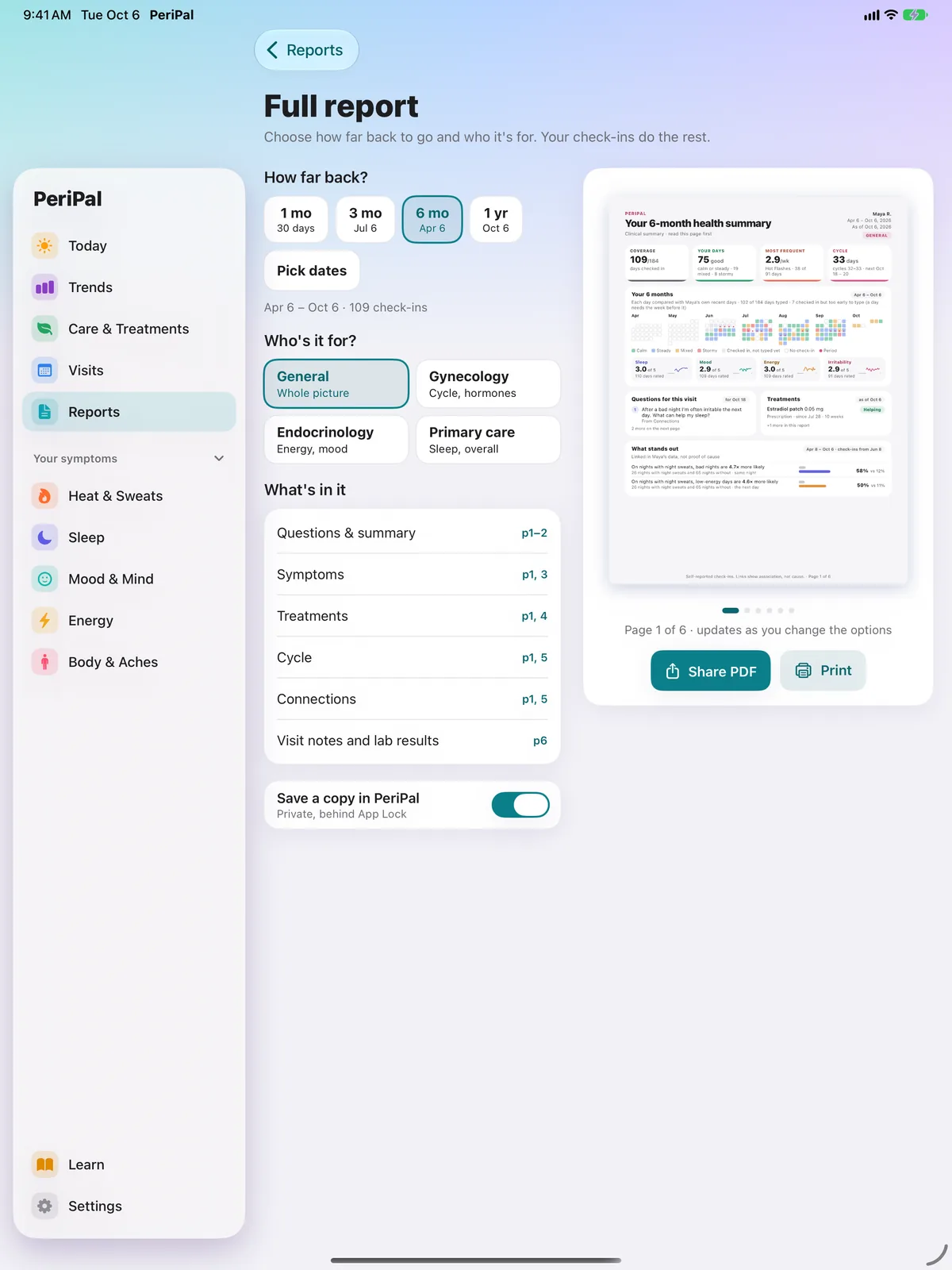
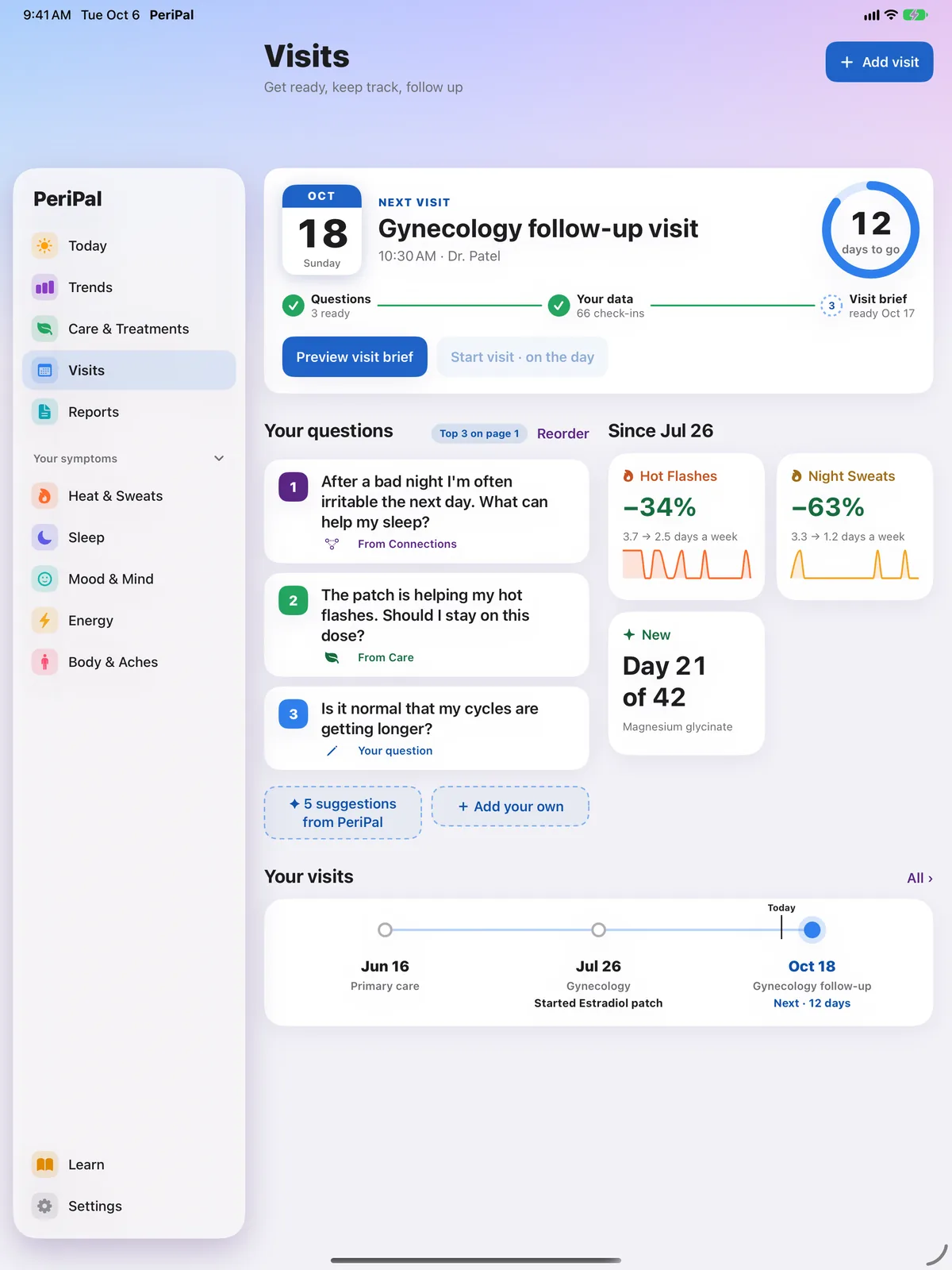
Turn your daily check-ins into a clear summary of your symptoms and treatment history. Preview every page, pick the period and who it’s for, then share or print it, and bring your questions to the conversation.
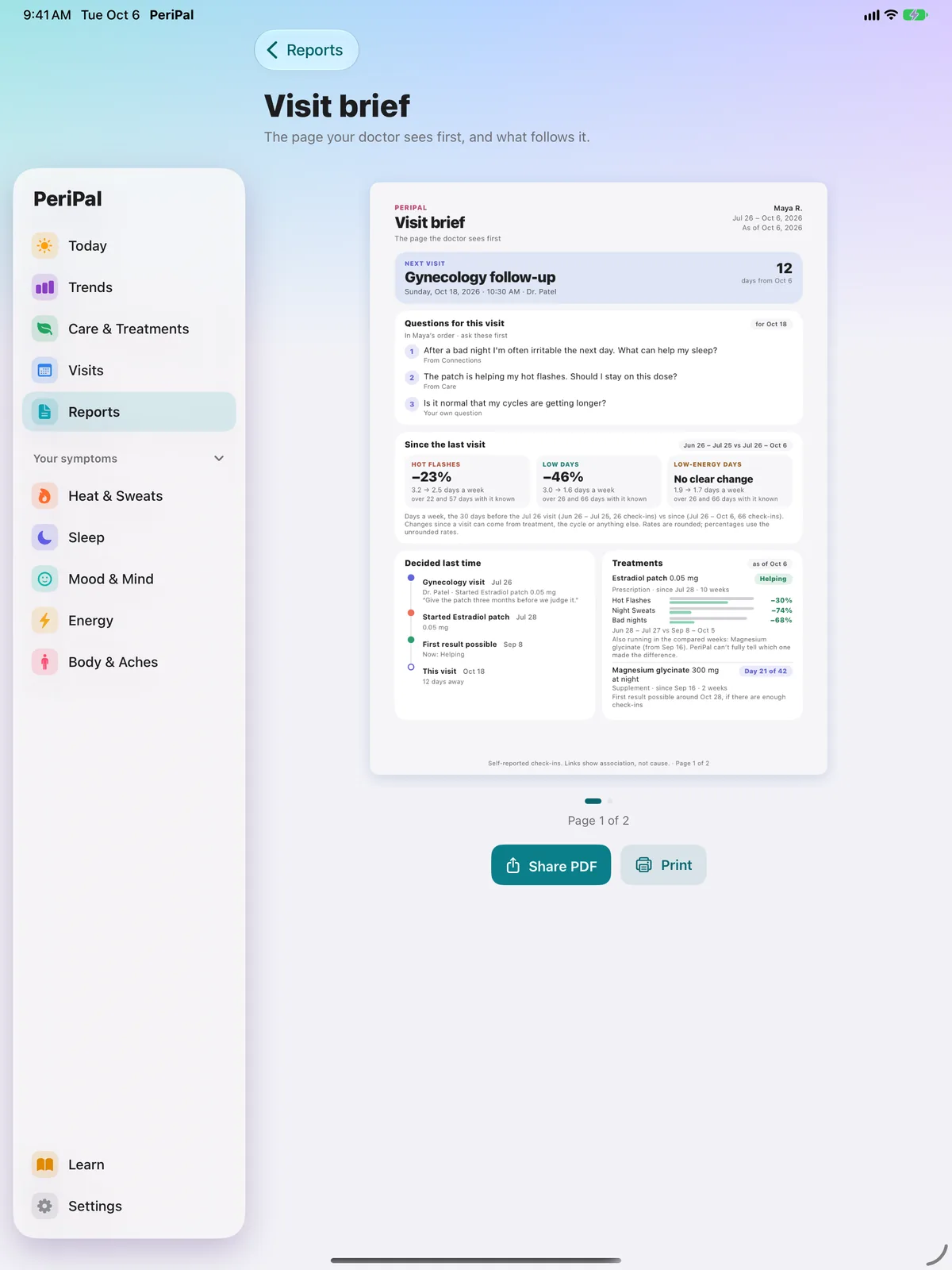
The visit brief is two pages for your next appointment, and it keeps updating until the morning of your visit. A full report takes two choices: how far back, and who it’s for, shaped for gynecology, endocrinology or primary care, or the whole picture. There’s also a one-page report for a single treatment, and a spreadsheet export with one row per day.
A copy of each report you make is saved privately inside PeriPal, behind App Lock, unless you switch that off. Saved reports stay on the device where you made them. Open one later to see then versus now, alongside what was said at that visit.
Go from “I’ve been feeling off” to “Here are three months of my data.”
Daily tracking is free. Your first report is too. It unlocks once you have a 30-day stretch with at least 14 days of check-ins (sleep-only days don’t count). It’s one full report covering that stretch, for whichever doctor you choose, once per Apple Account. The visit brief, one-treatment reports, further full reports and the spreadsheet export are part of PeriPal Pro.
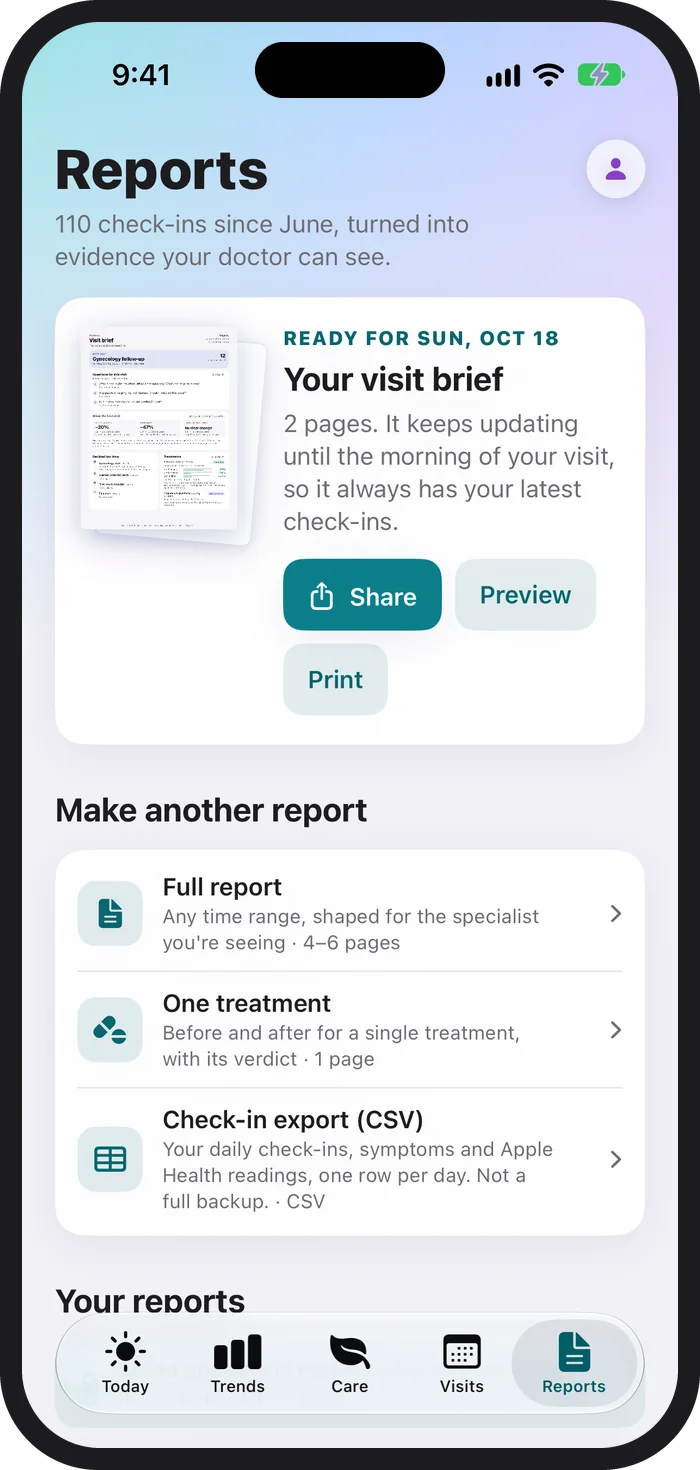
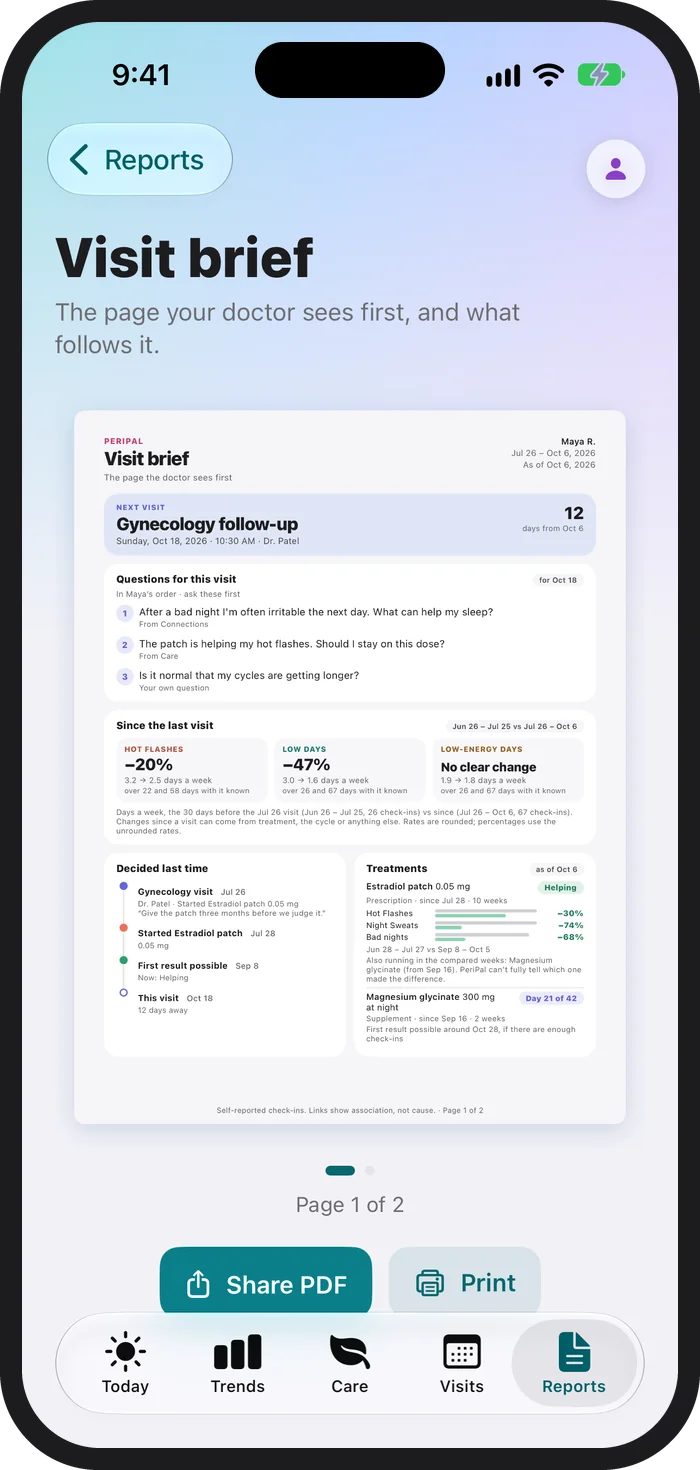
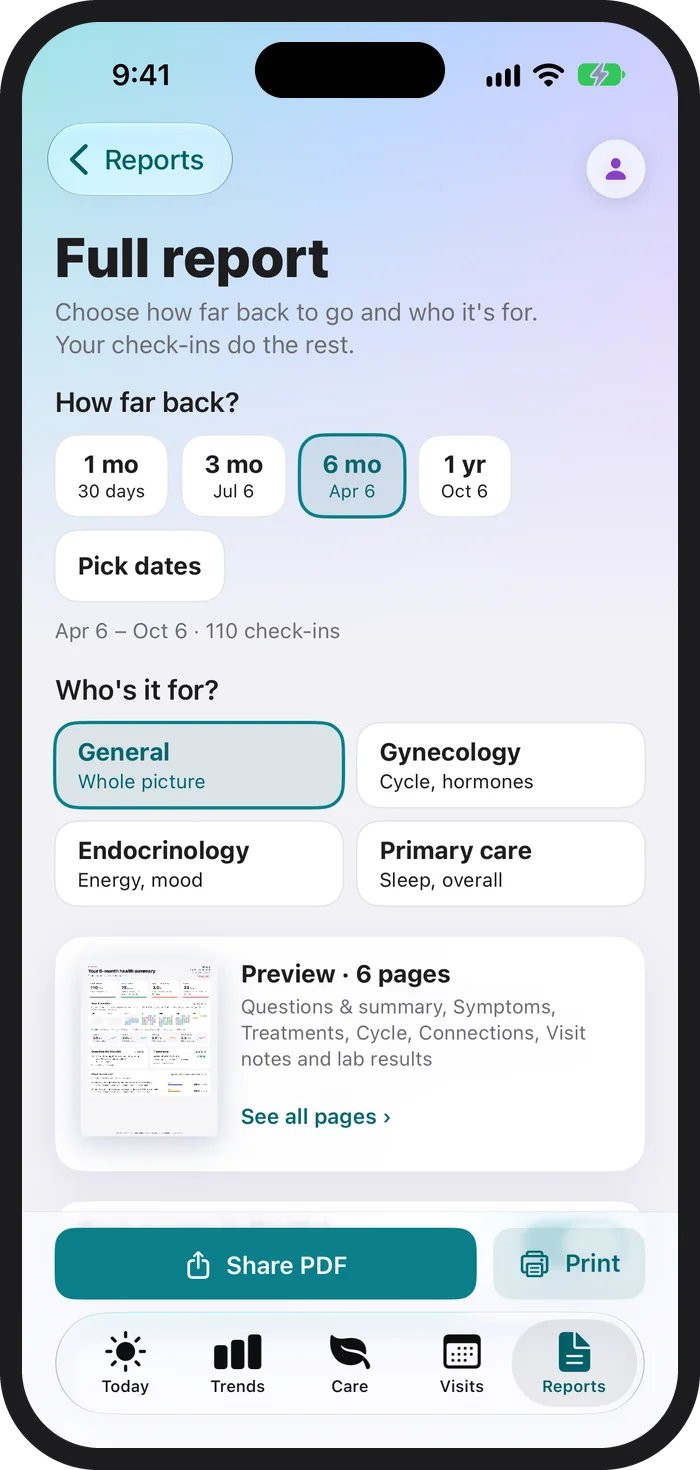
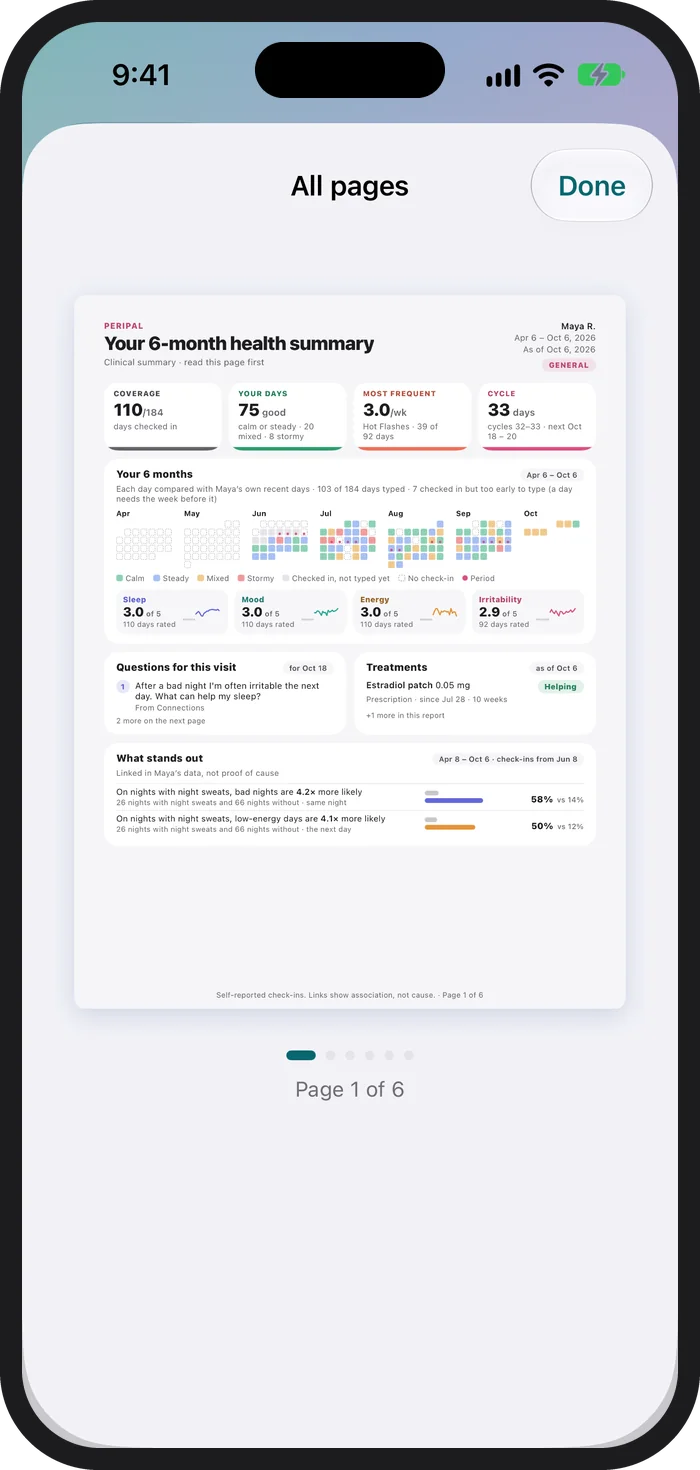
See the reports for yourself.
Explore example reports made with fictional people and synthetic data. See the format before you create your own.
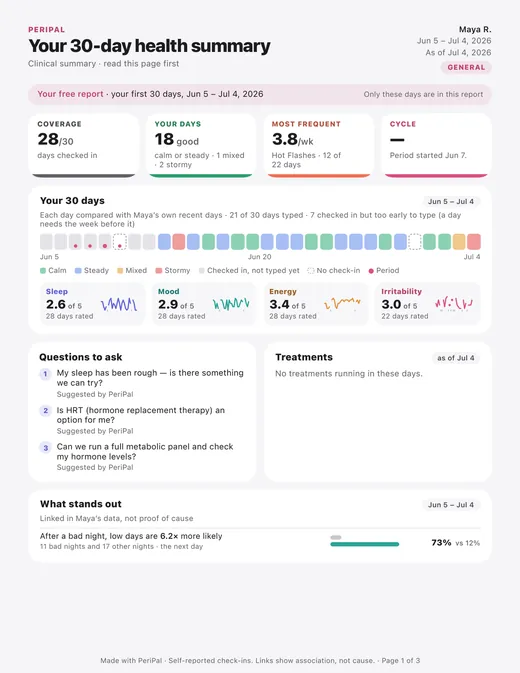
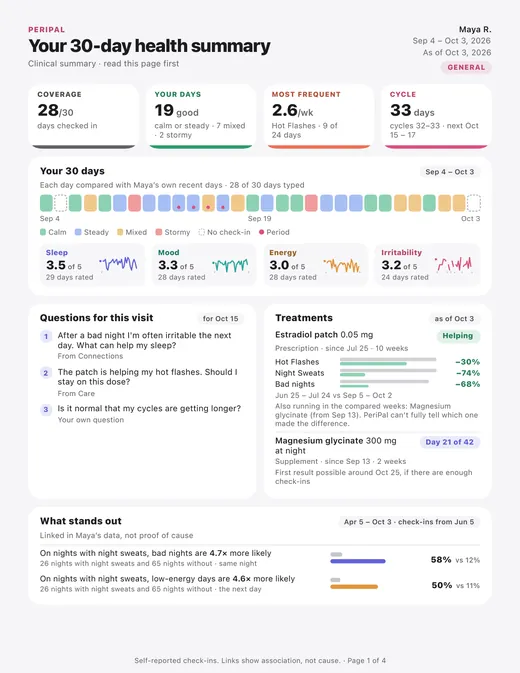
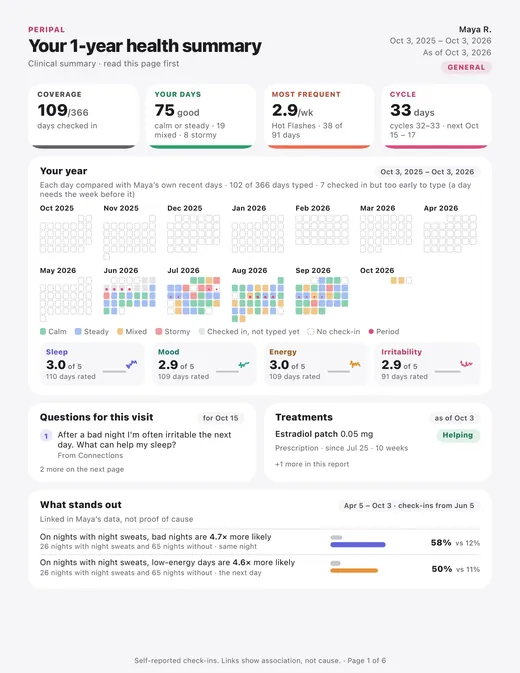
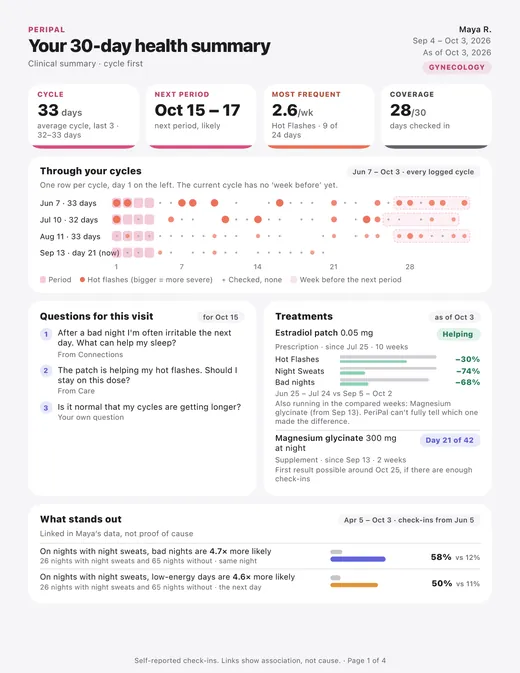
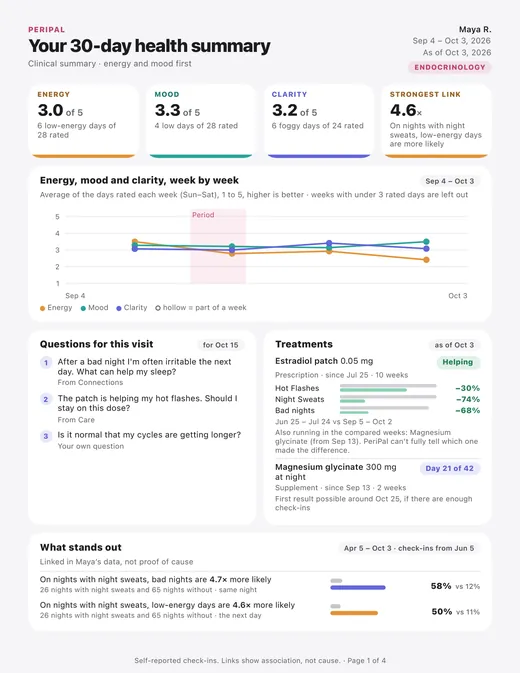
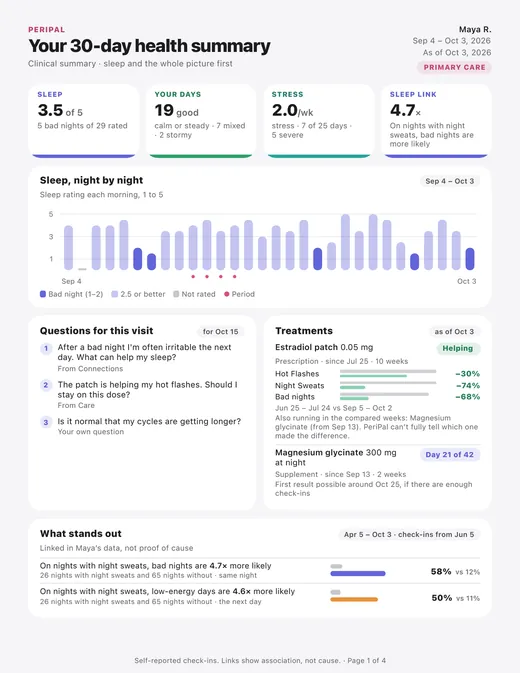
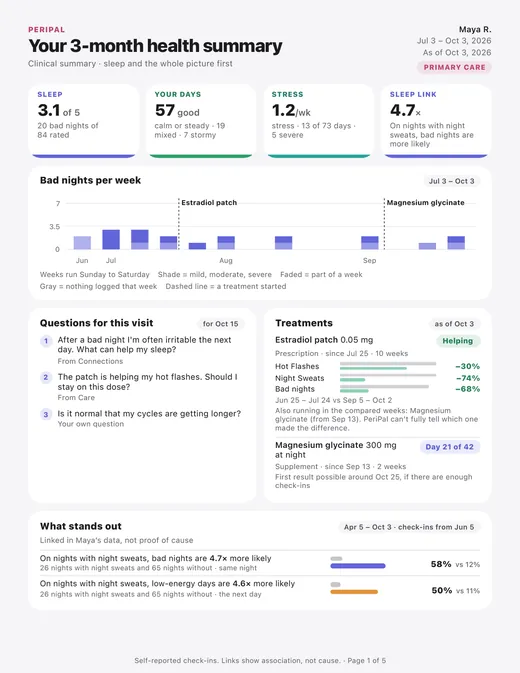
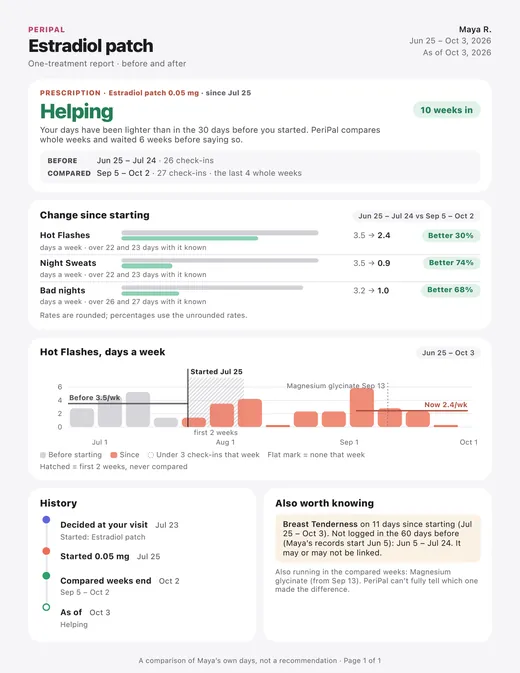
Maya is fictional, and every number is synthetic sample data. No real person’s health information appears in these reports.
2 · Today: know what the day might bring
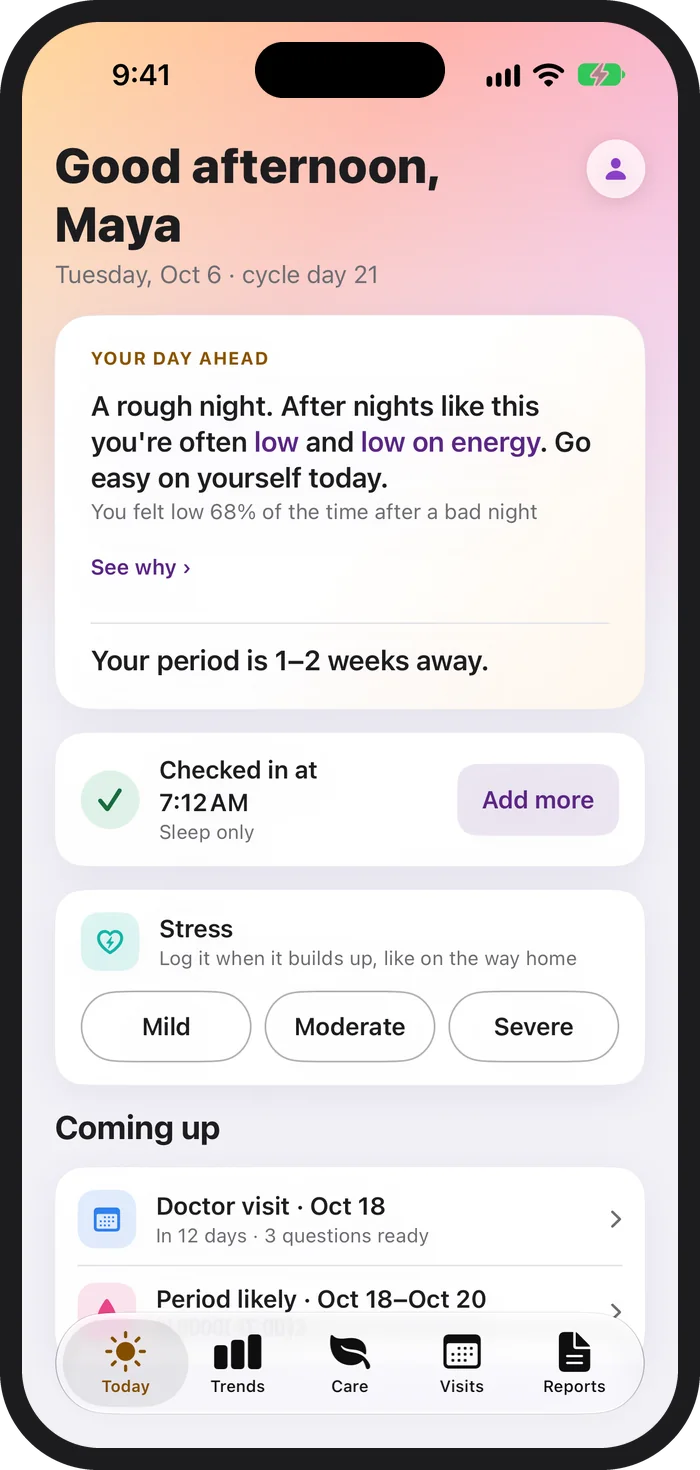
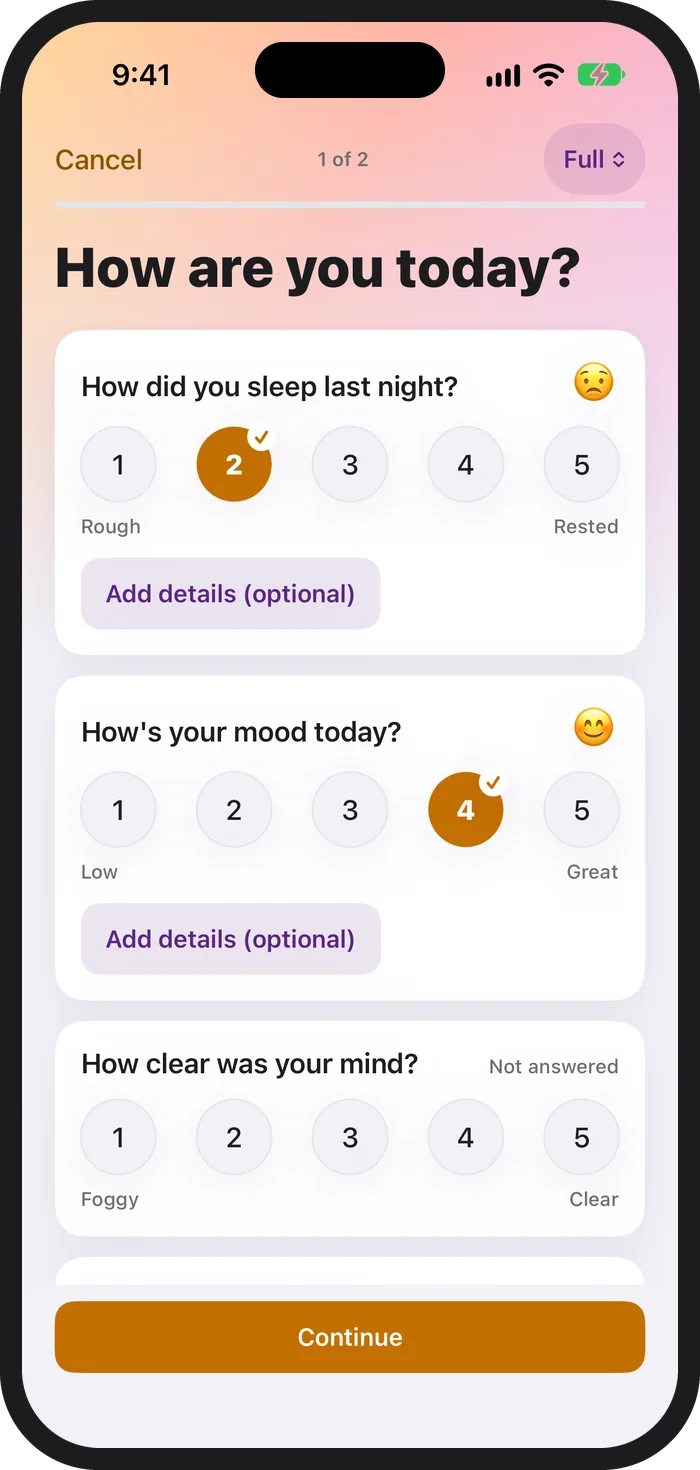
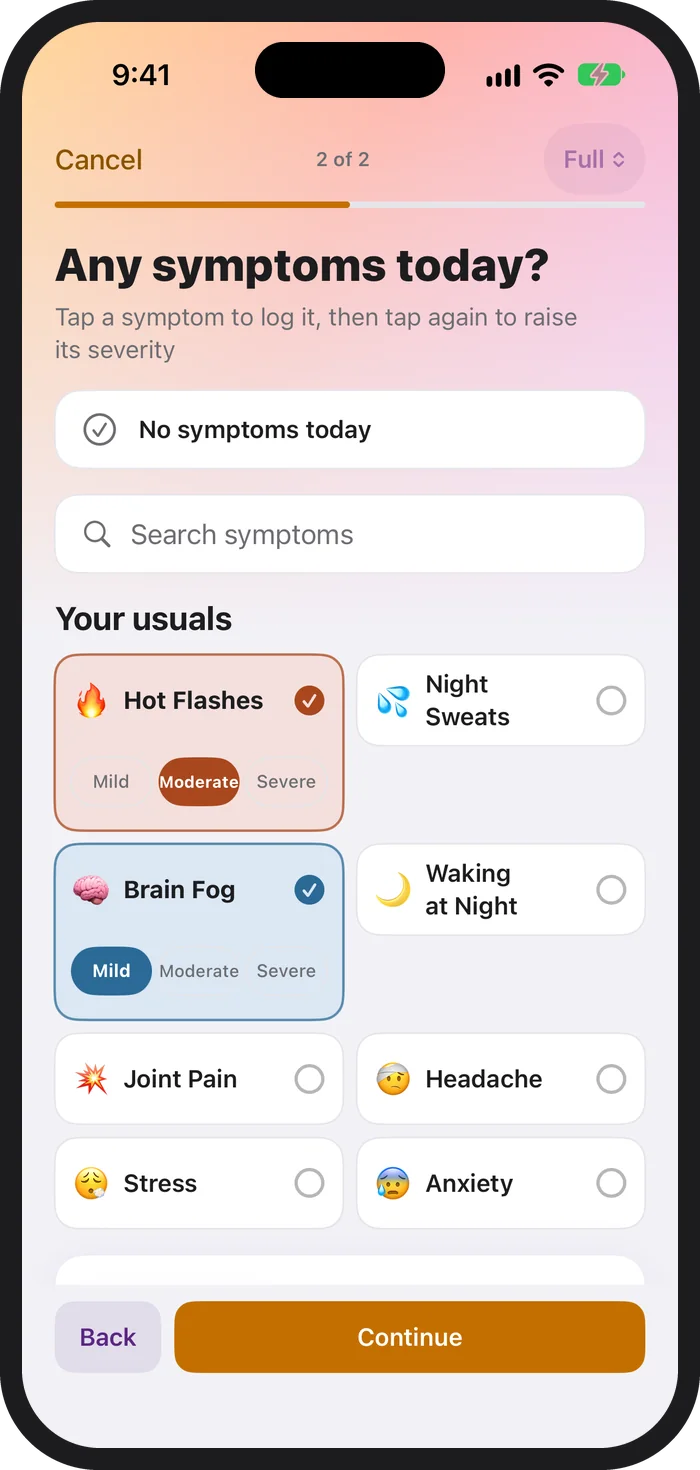
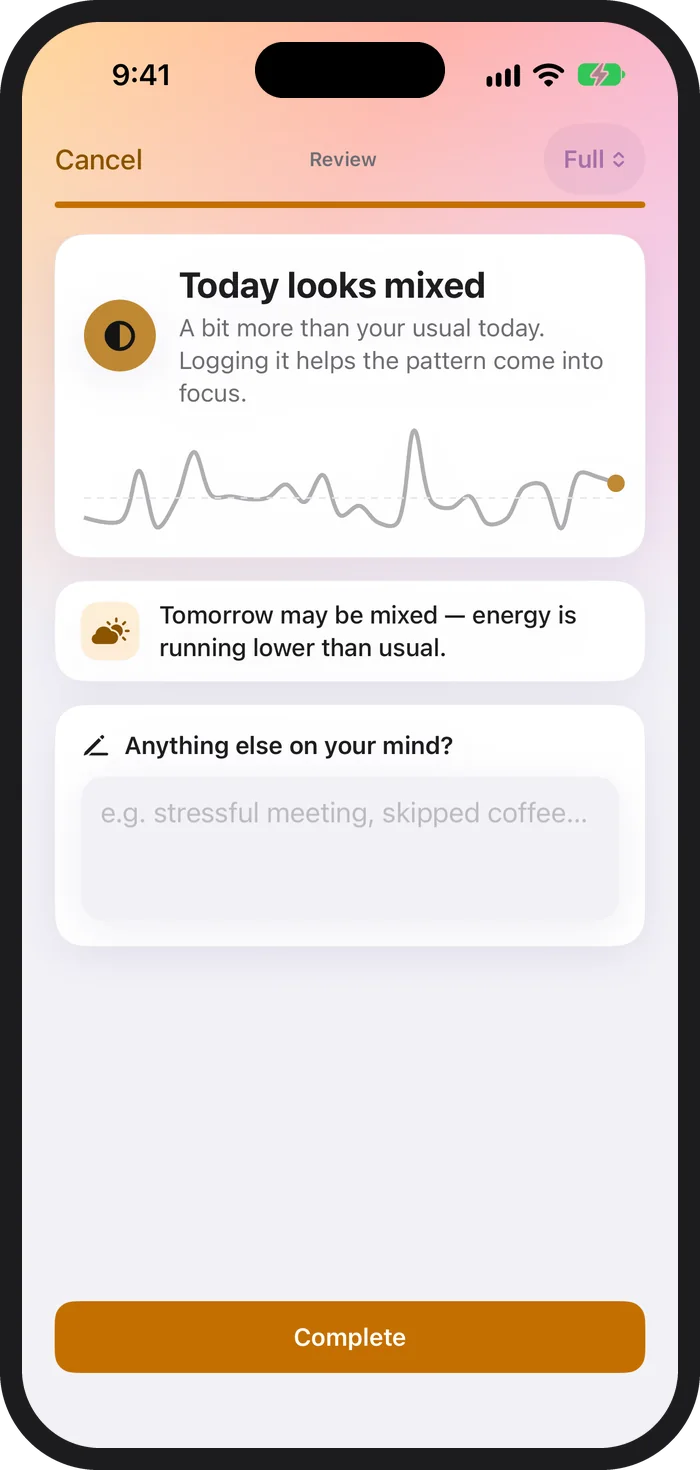
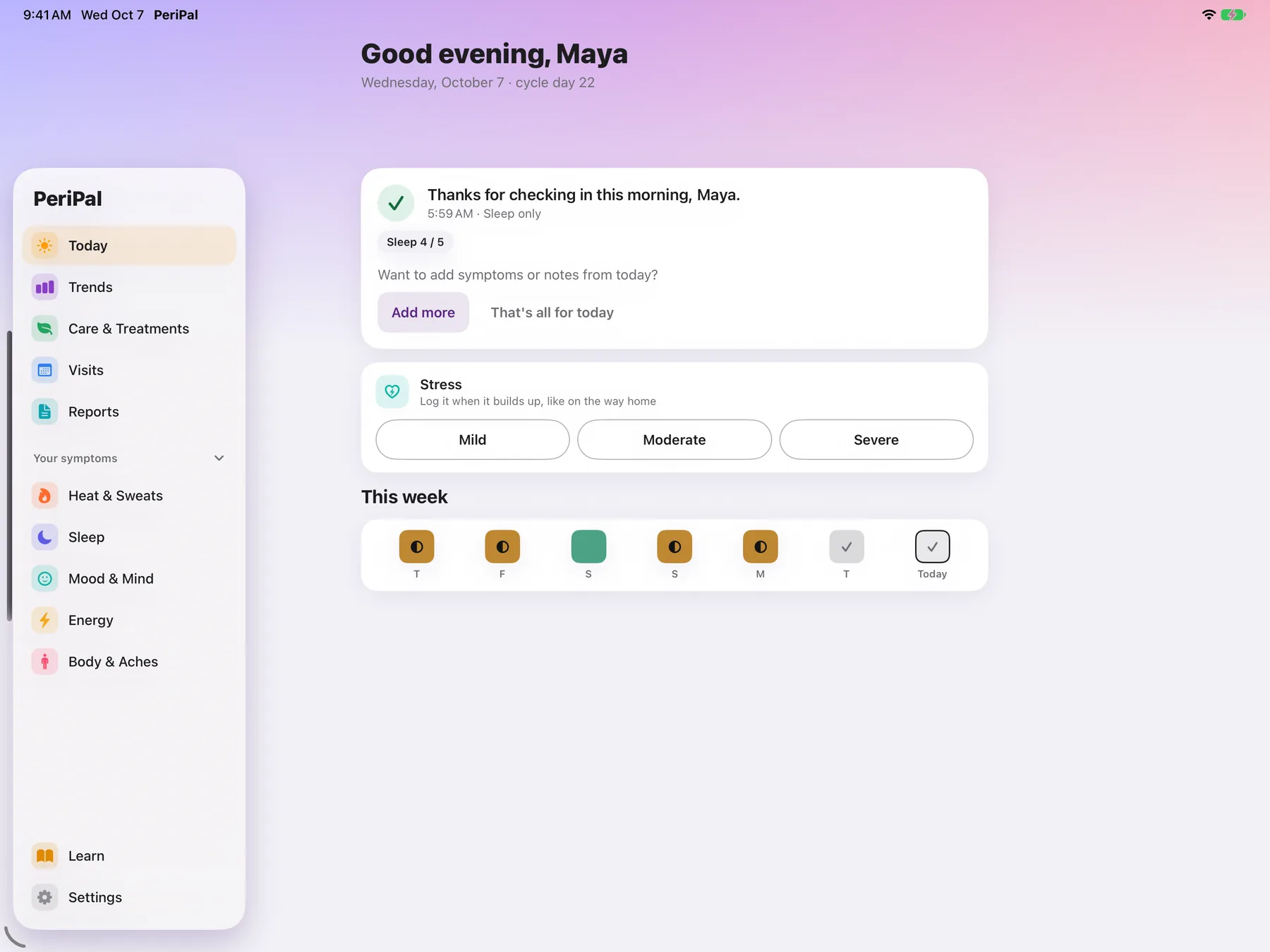
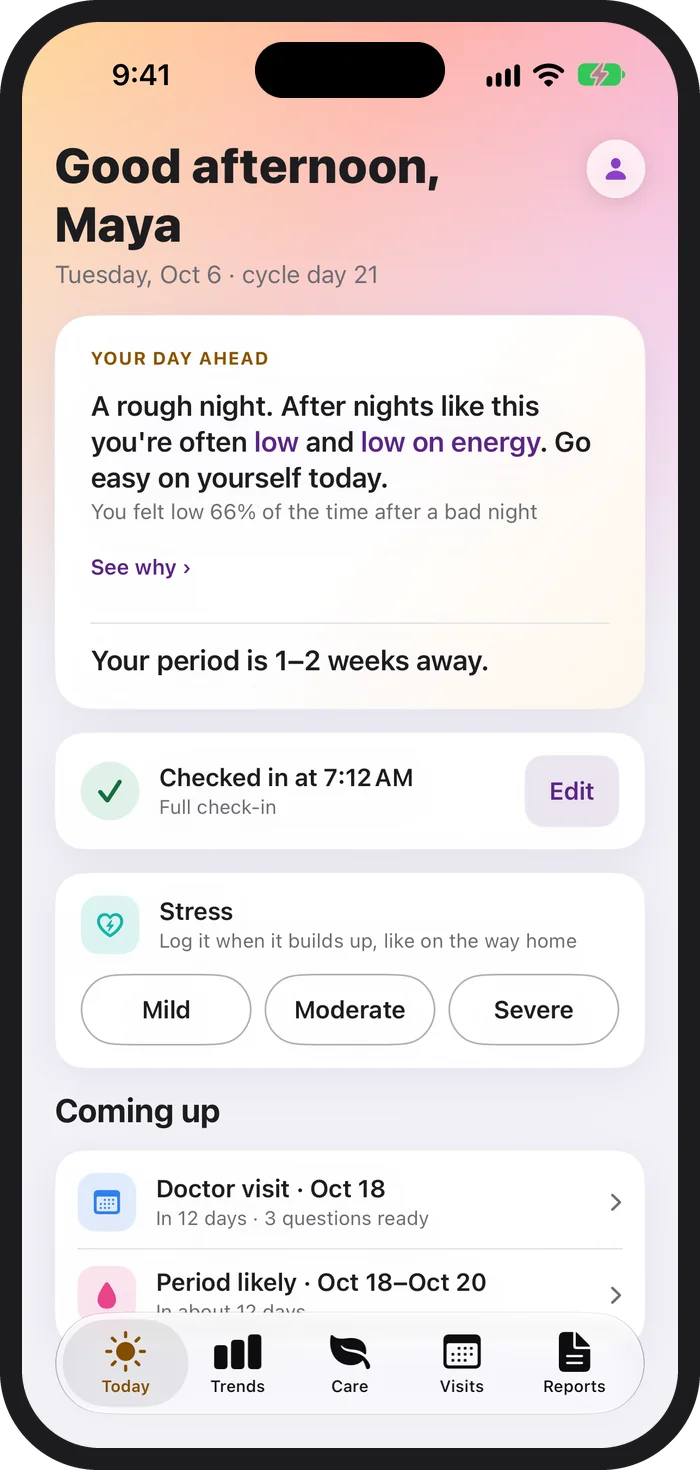
Every morning, PeriPal reads your own history and gives you a plain-language heads-up. It knows where you are in your cycle, shows your next doctor visit and how many questions are ready, and lets you log stress in one tap. The check-in itself is tap-only: sleep, mood and energy first, then your symptoms, then a short reading of how the day looks.
Tap, don’t type. A habit that takes seconds is one you’ll keep.
3 · Trends: see your patterns, not just your days
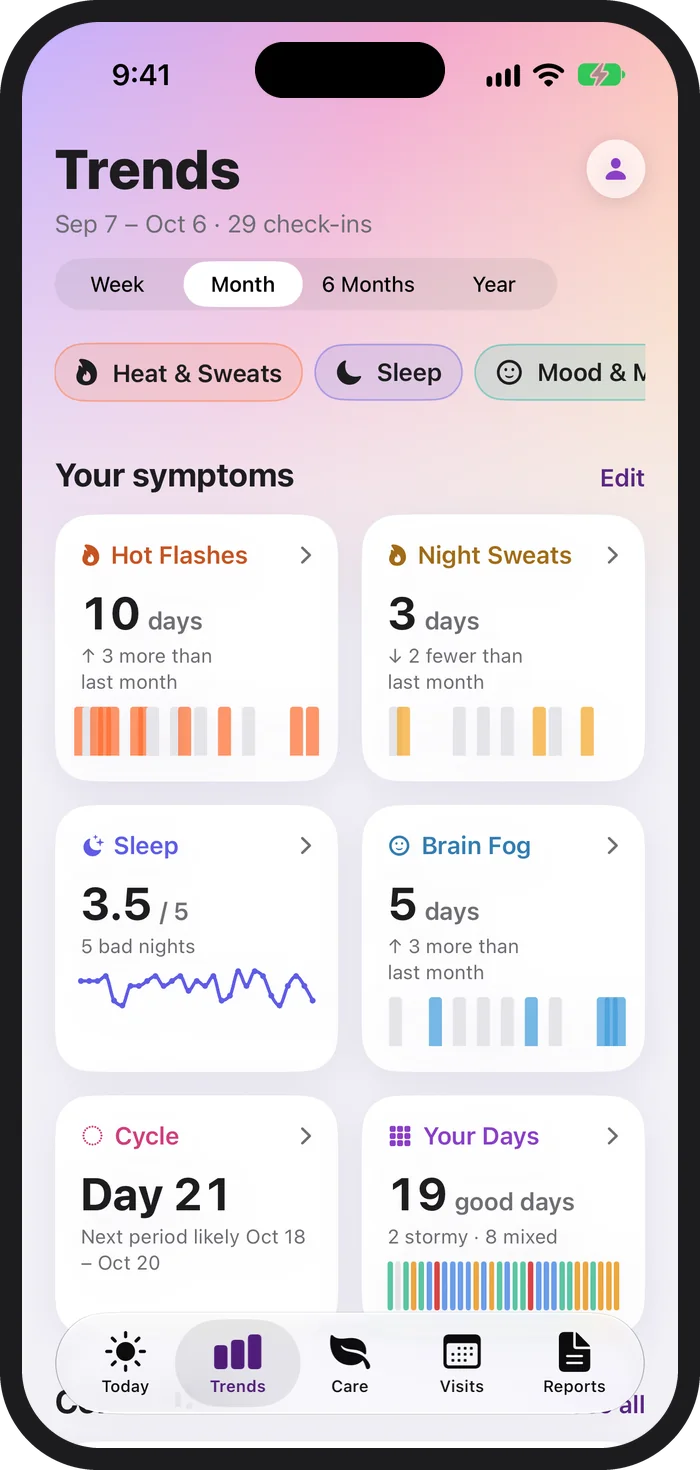
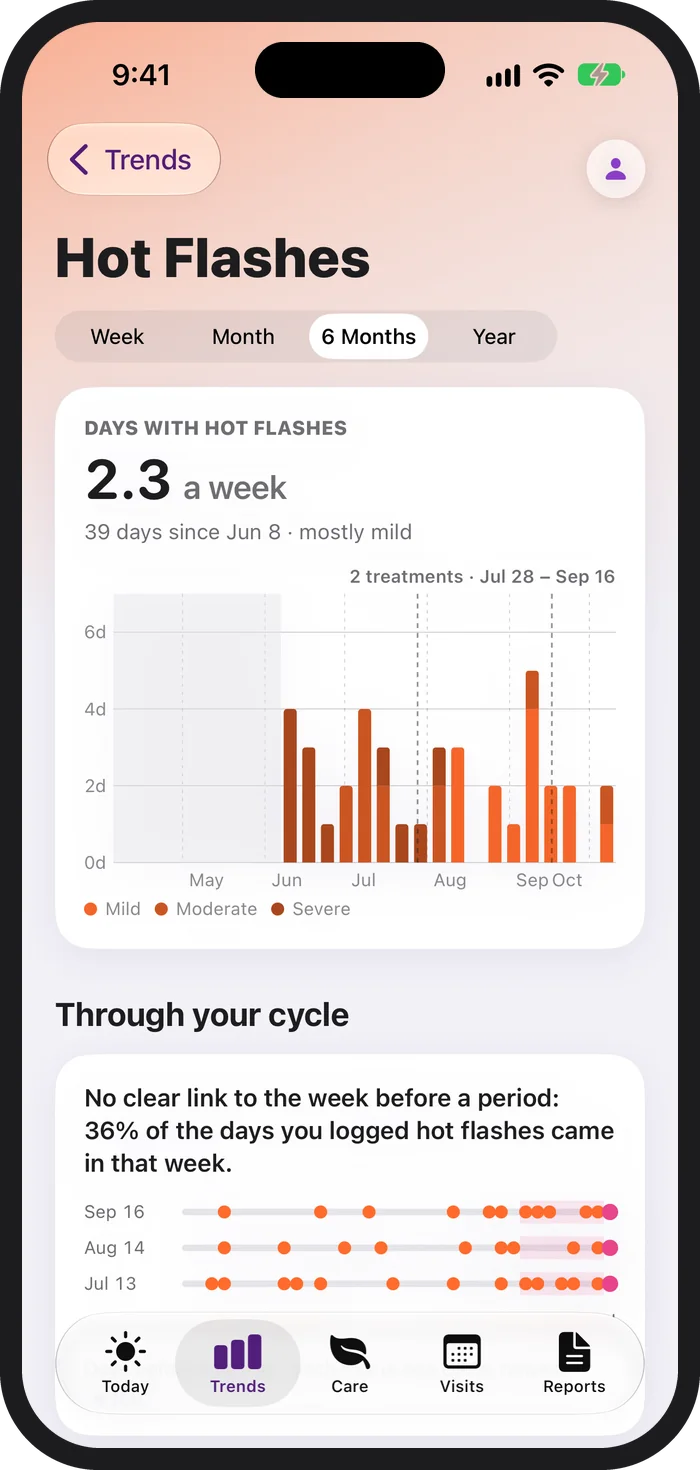
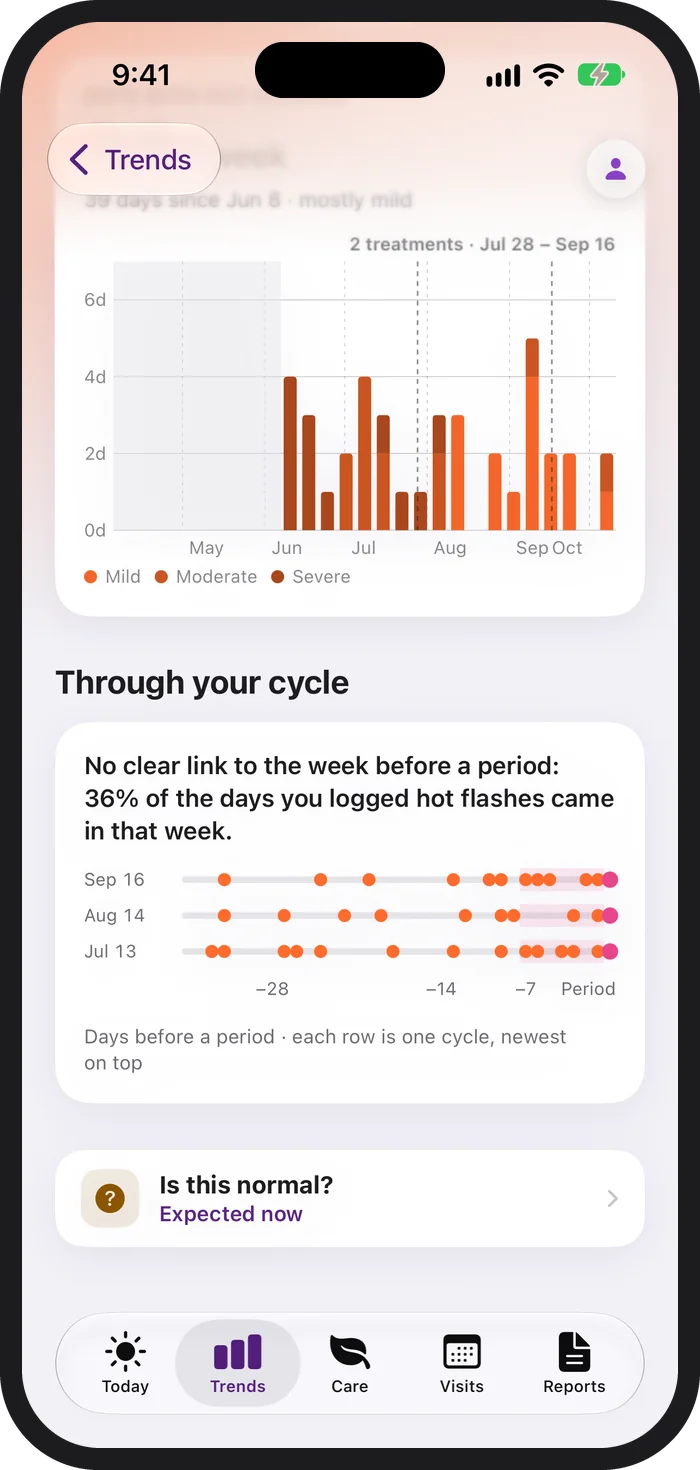
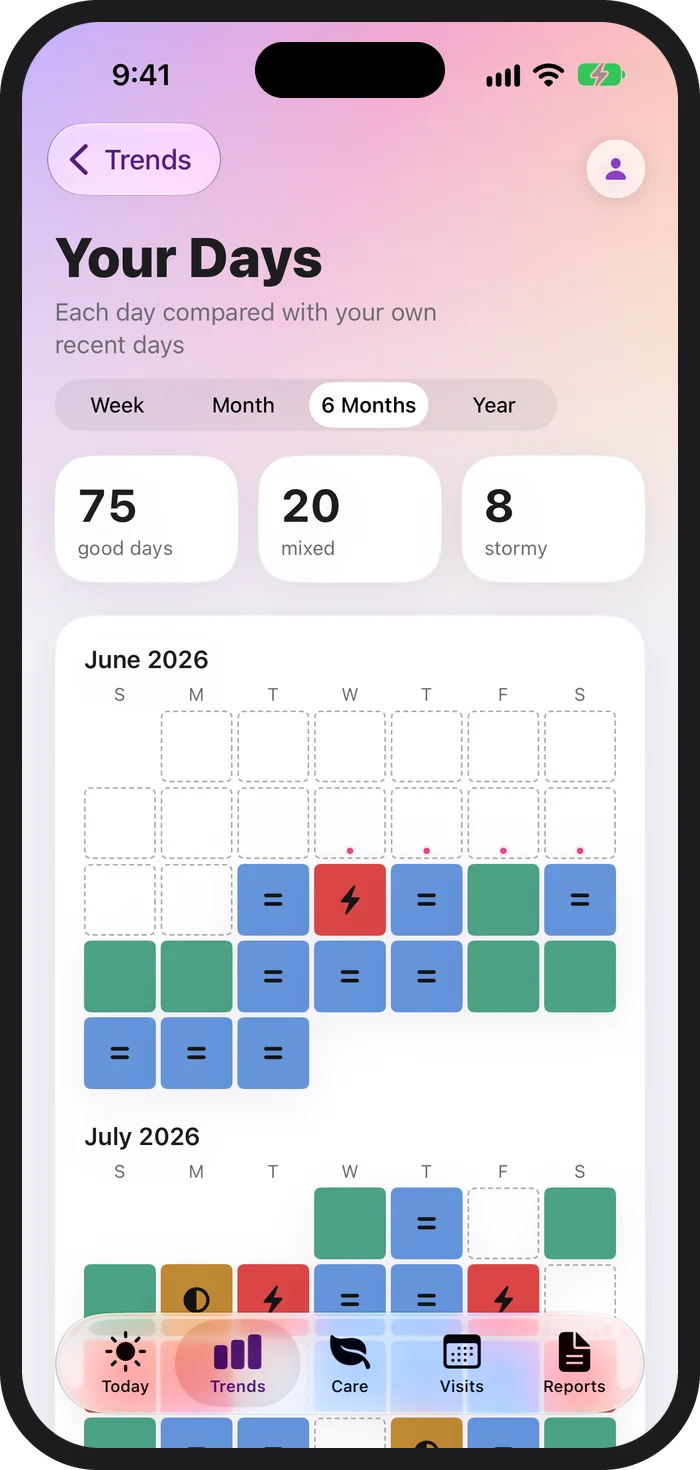
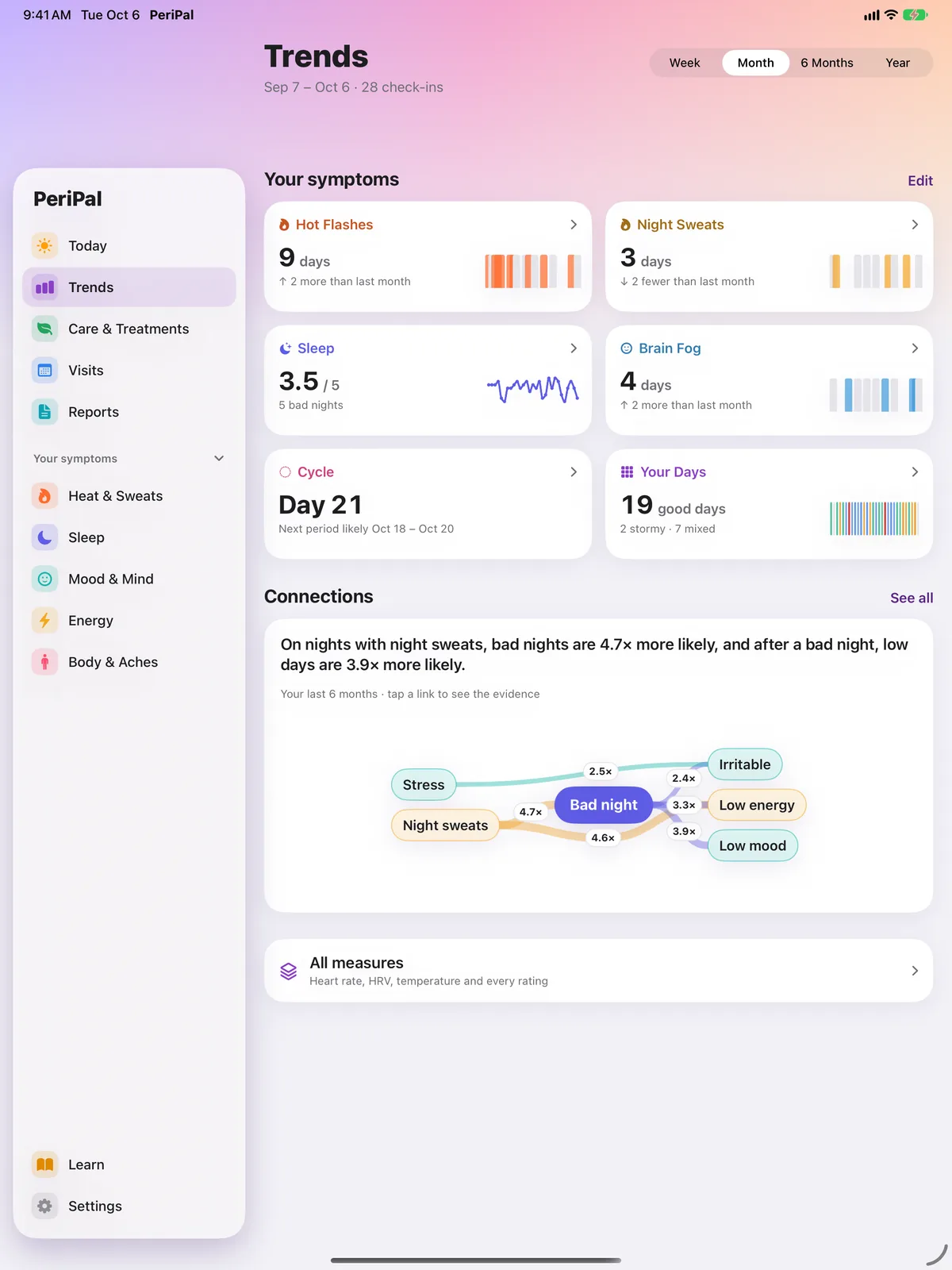
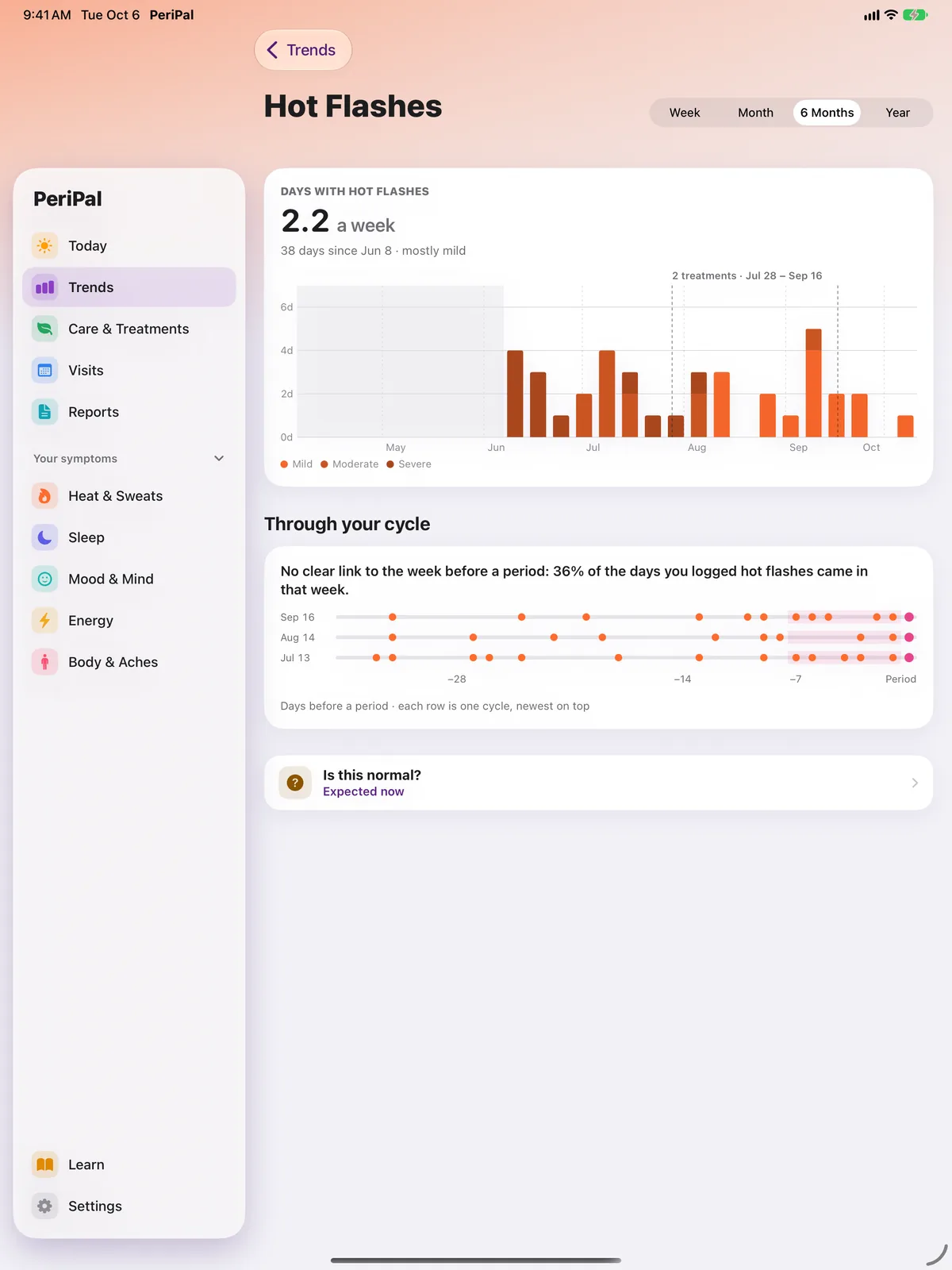
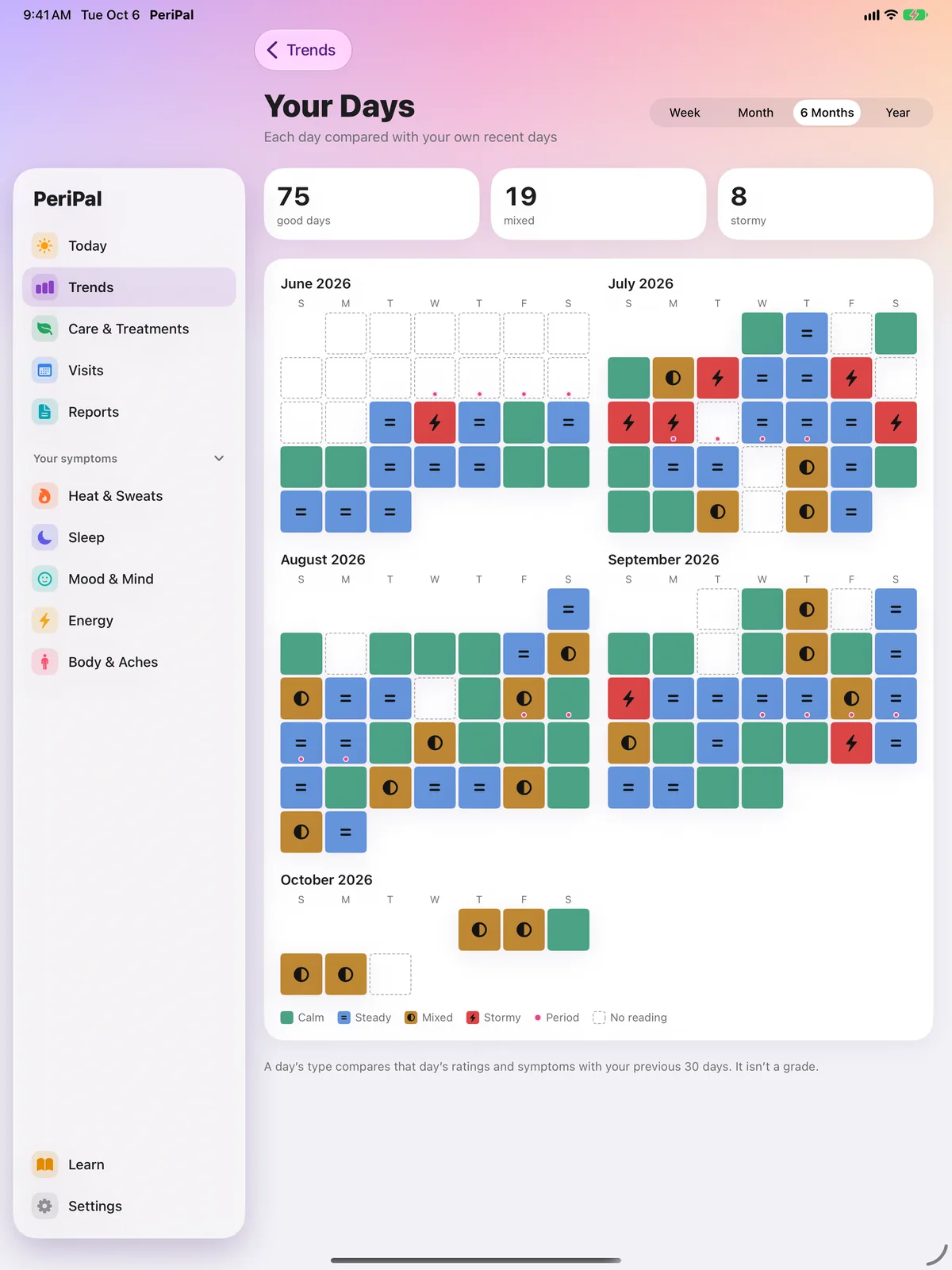
Every symptom at a glance: how many days it showed up, your average ratings, and the change from last month. Open one symptom to see it by week, month, six months or a year, with treatment start dates marked and a view of whether it clusters in the week before your period. Your Days colors each day calm, steady, mixed or stormy, judged against your own recent days.
See the shape of your month instead of guessing. The good days count too.
4 · Connections: see what tends to happen together
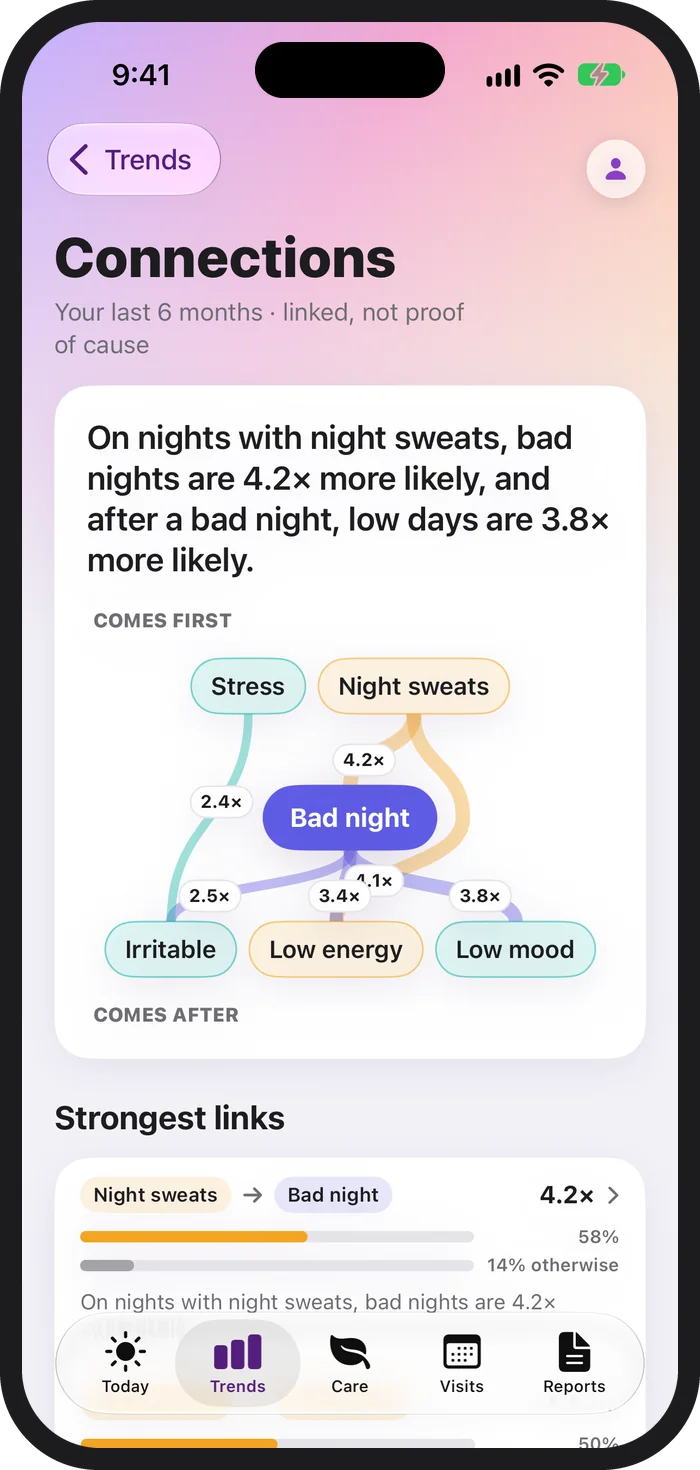
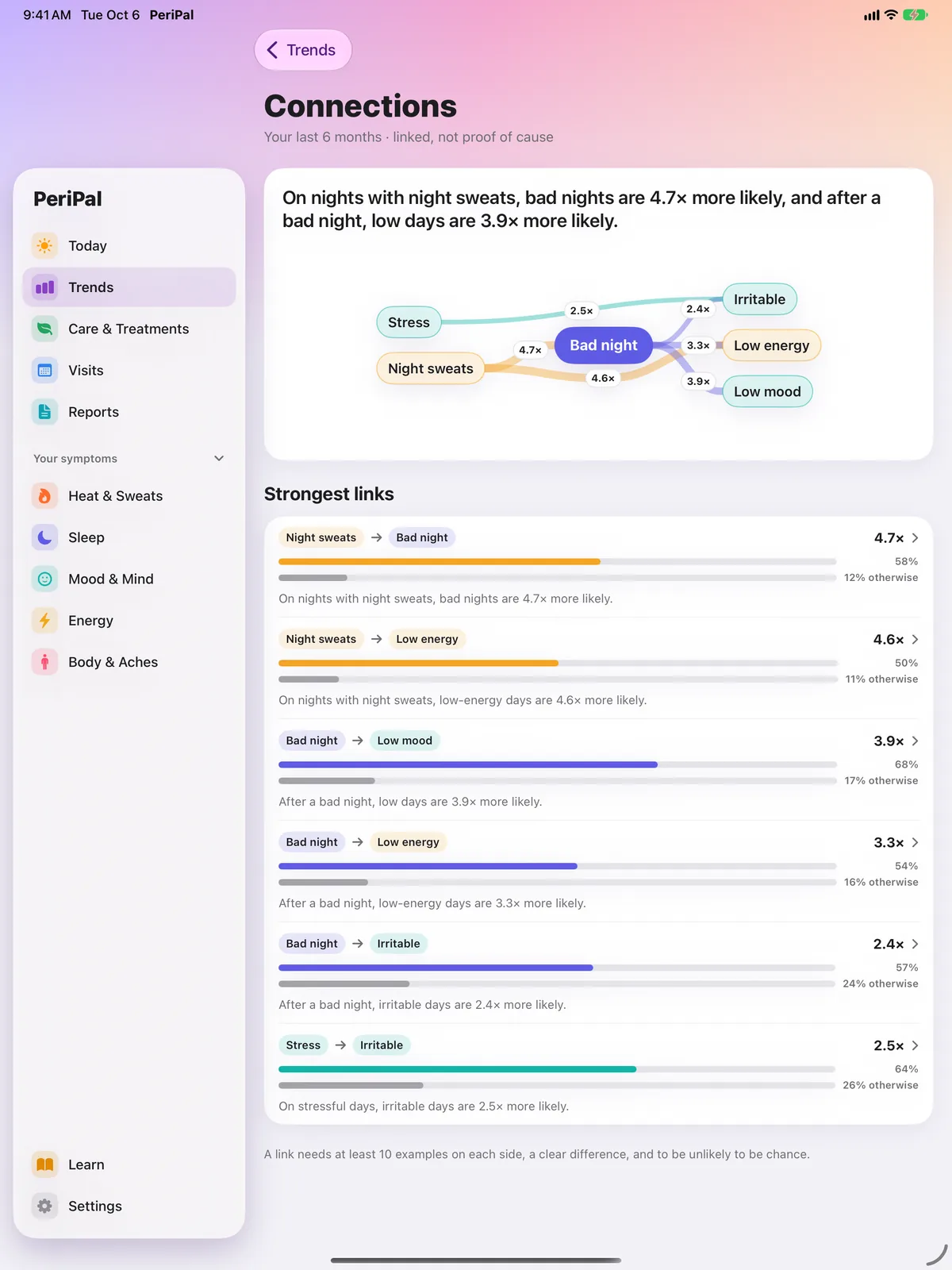
Explore patterns in your check-ins, with the numbers behind them. A connection doesn’t prove cause.
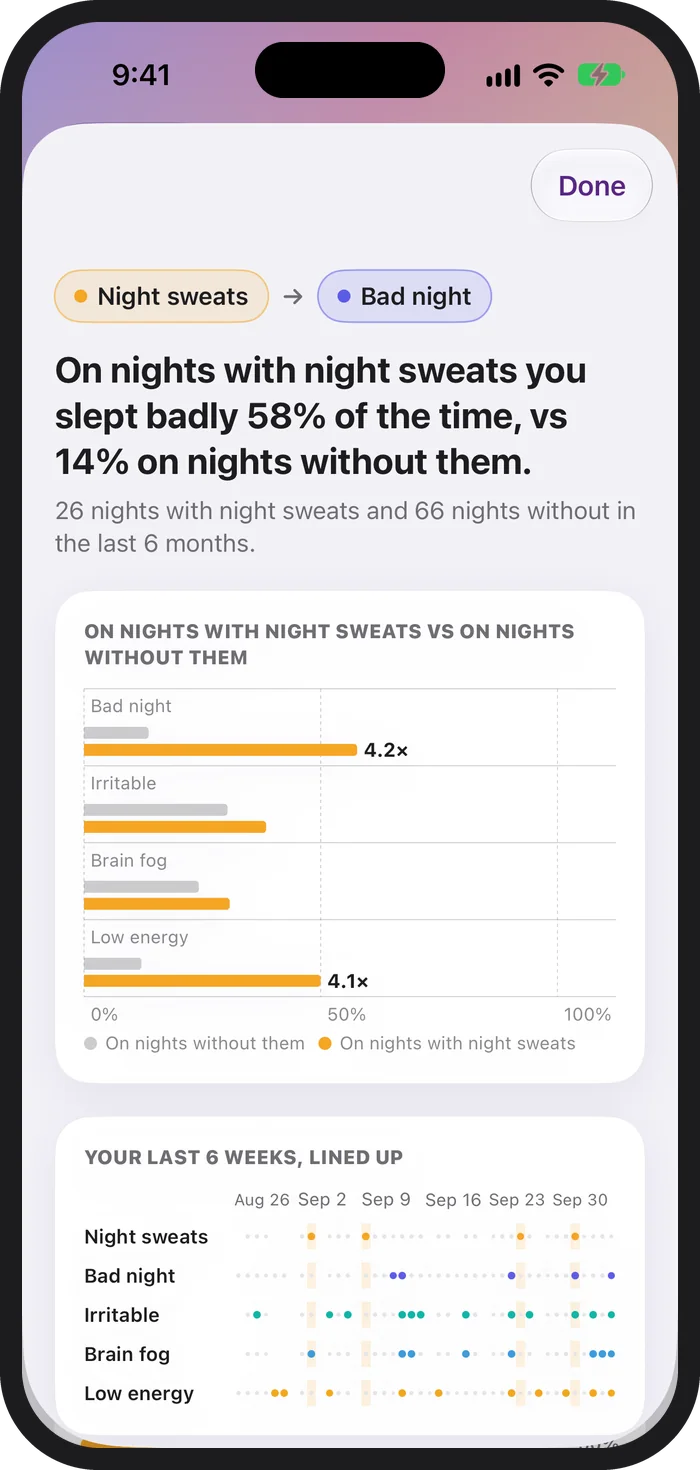
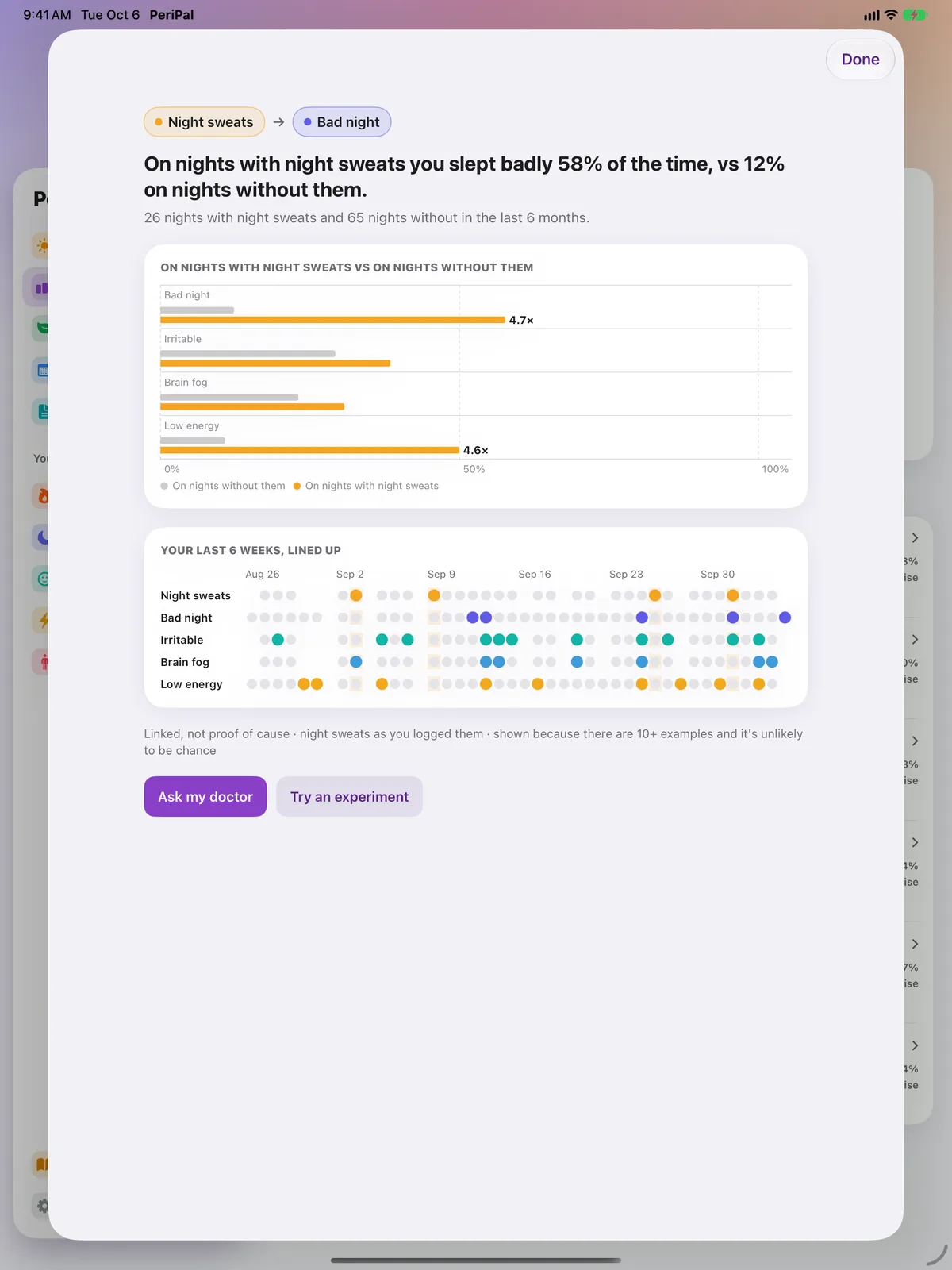
PeriPal looks for links in your own data and shows you the evidence, not just a headline. Every link comes with the counts behind it, a before-and-after comparison, and your last six weeks lined up day by day.
“On nights with night sweats you slept badly 58% of the time, vs 14% on nights without them.”
A link is shown only when there are at least 10 examples on each side, a clear difference, and a statistical check, corrected for testing many pairs at once, says it’s unlikely to be chance. That lowers the odds of a fluke; it doesn’t rule one out. Every link says it plainly: linked, not proof of cause.
5 · Care & Treatments: see what changes when you try something new
Track everything you’re trying in one place: prescriptions, supplements, lifestyle changes, and short experiments of one, two or four weeks. Adding something takes one sheet: pick the type, name it, say when it started and what you hope it helps. PeriPal tells you up front when the first result will come.
Compare your logged symptoms before and during treatment, with clear notes when the picture is uncertain. After six weeks, PeriPal sets the 30 days before you started against your most recent four whole weeks on it, leaving out the first two weeks, and labels what it sees: Helping, No clear change, or Worse. Until then it says “too early to judge”, it says when there aren’t enough check-ins to tell, and when two treatments overlap it says it can’t fully tell which one made the difference.
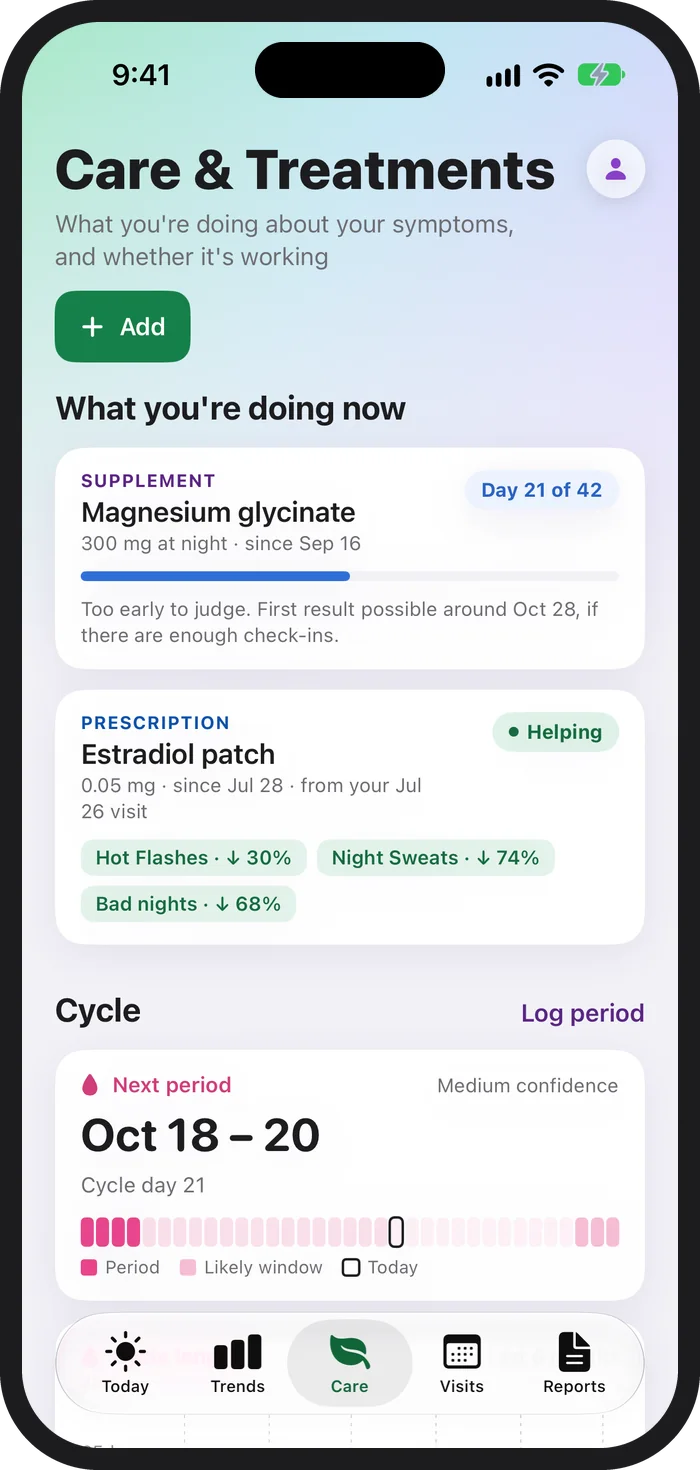
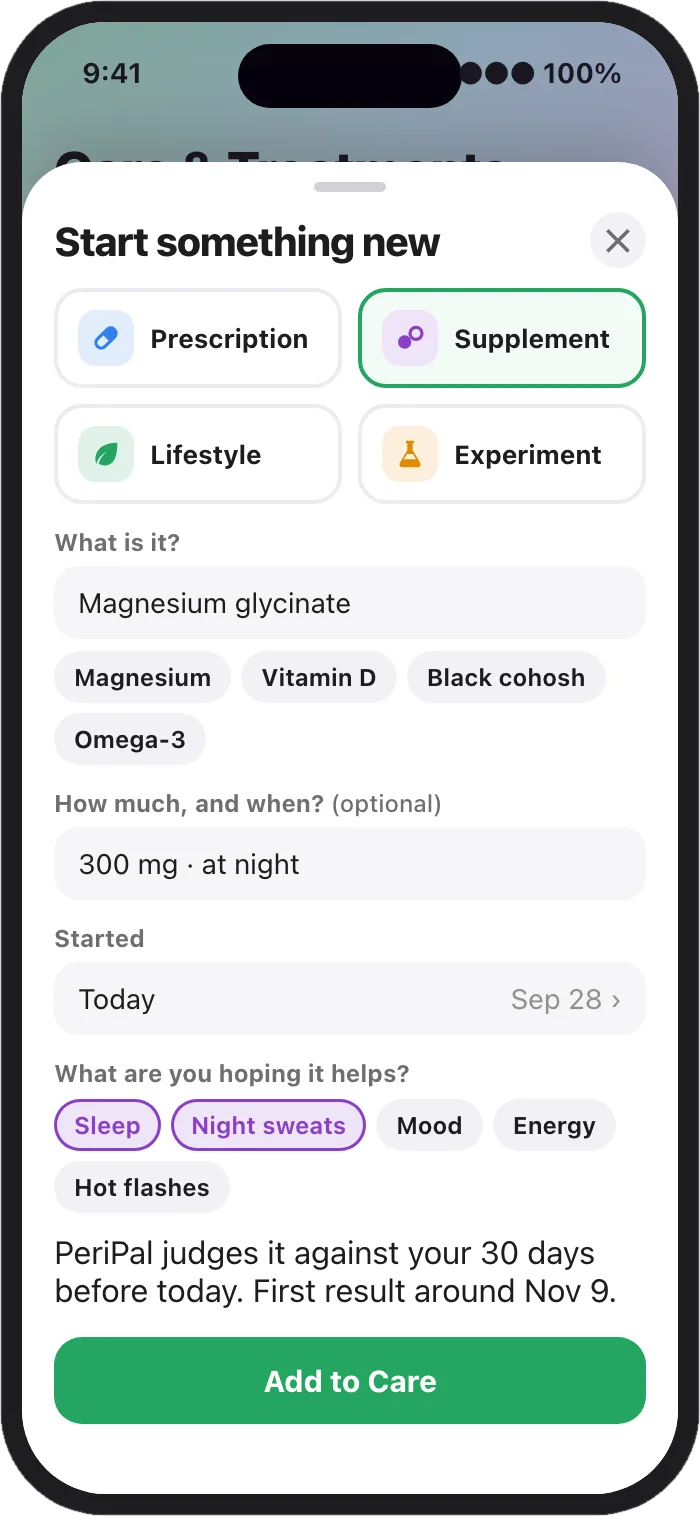
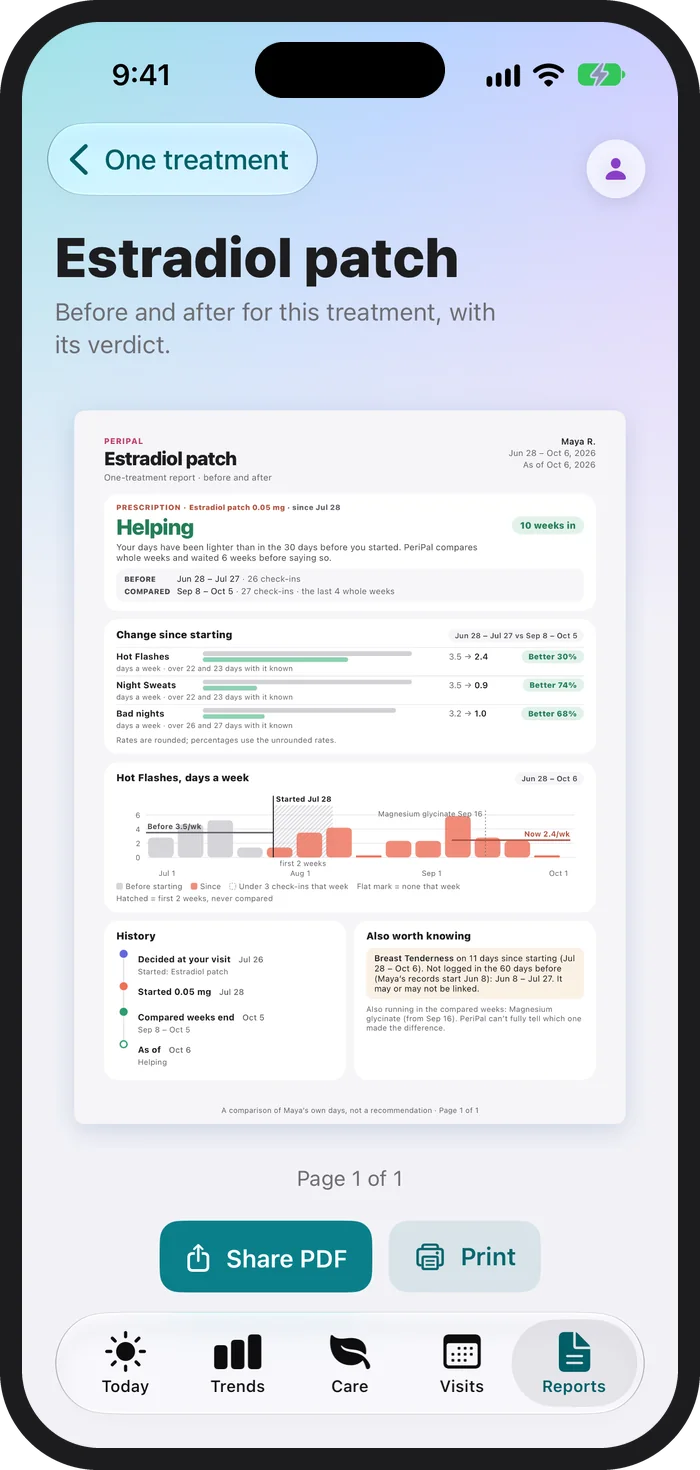
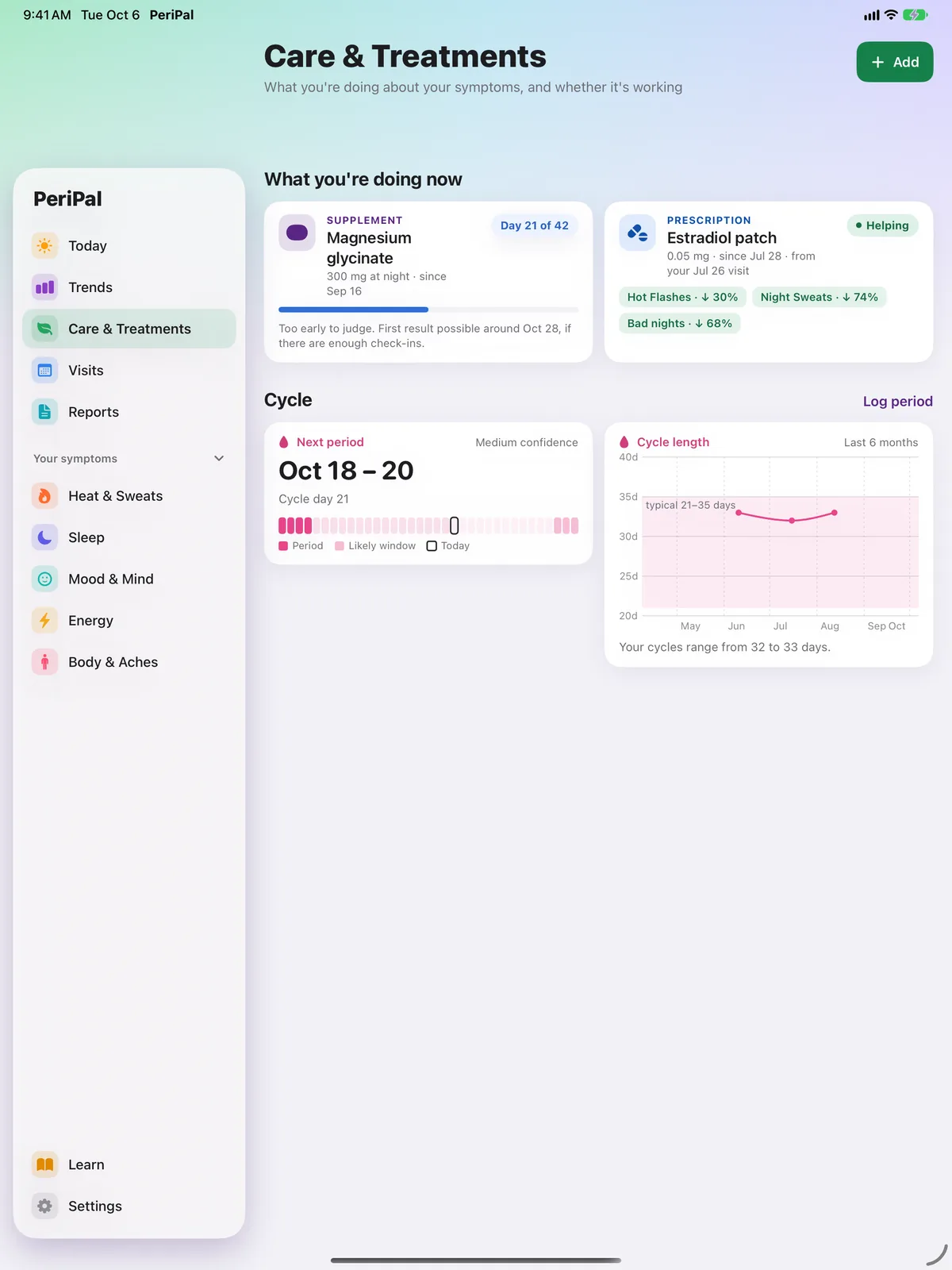
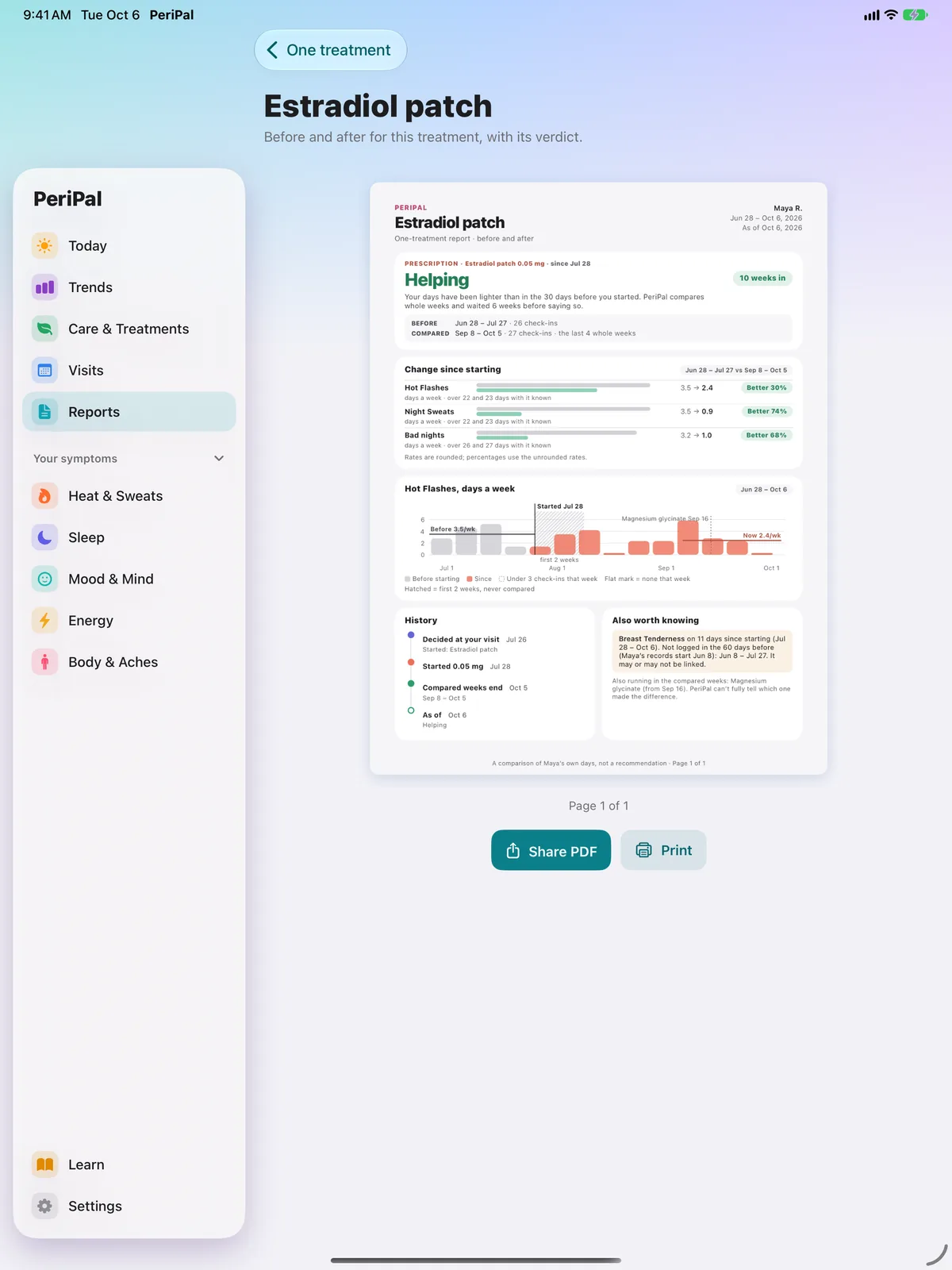
“Helping” means your own logged days got lighter. PeriPal isn’t a medical device and doesn’t diagnose. Talk to your healthcare provider about any change to your treatment.
6 · Visits: walk in prepared
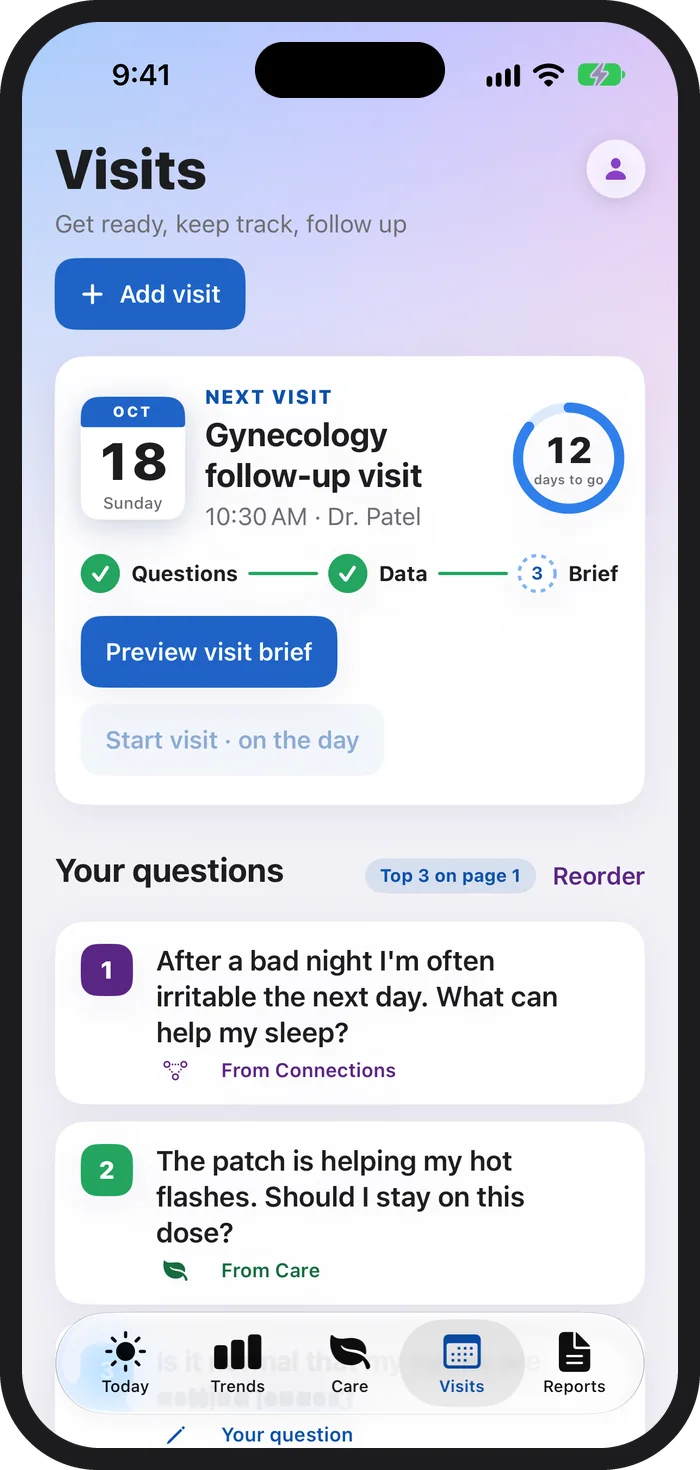
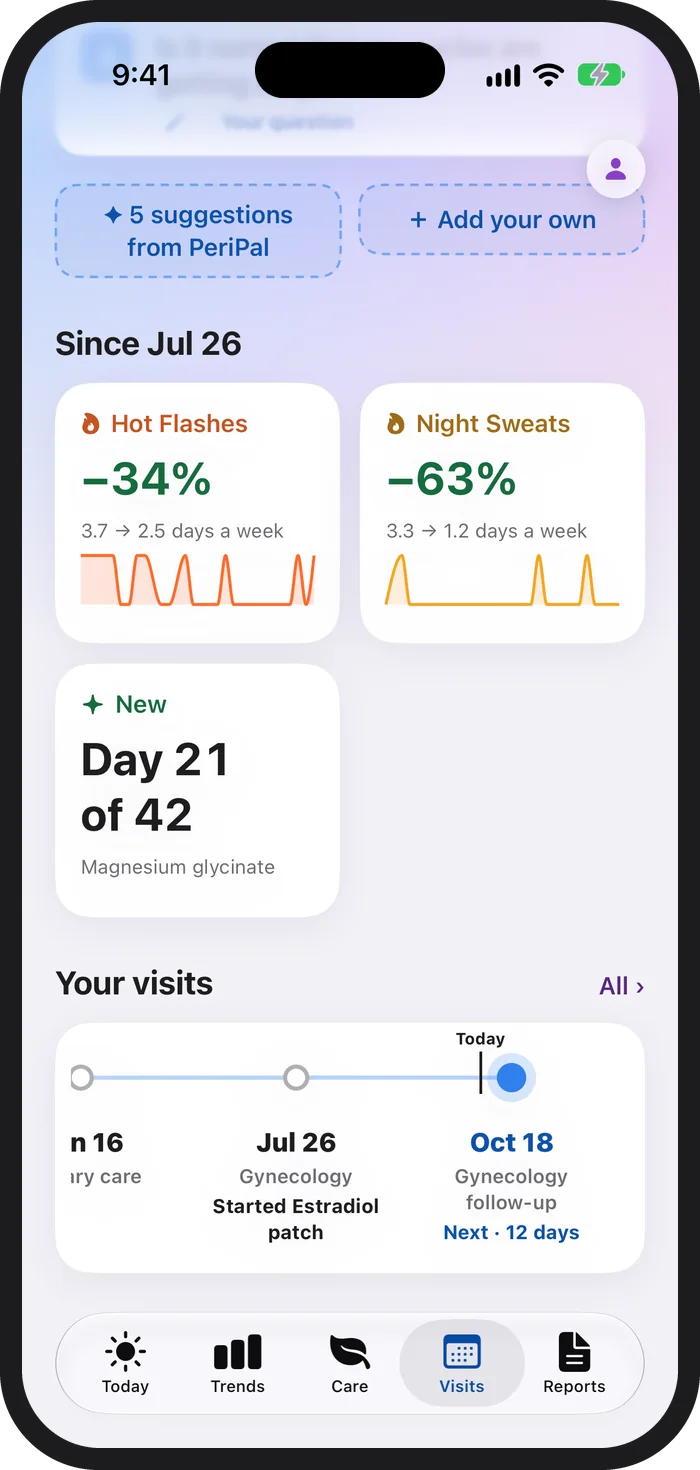
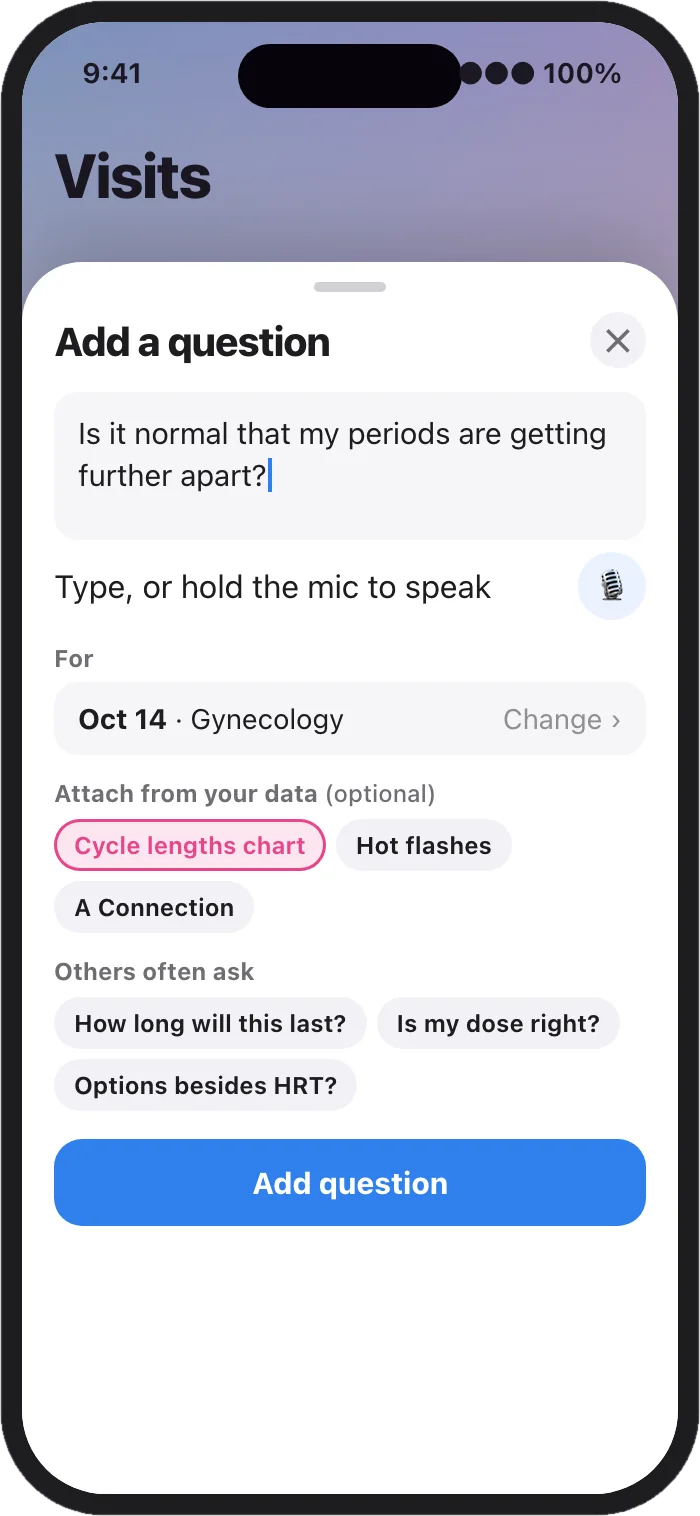
The next-visit card counts down with a simple path: questions ready, data ready, brief ready. Questions get there two ways. An “Ask my doctor” button on a Connection or a treatment adds the question with its evidence attached. Or add your own: type or dictate it, pick which visit it’s for, and attach a chart from your data.
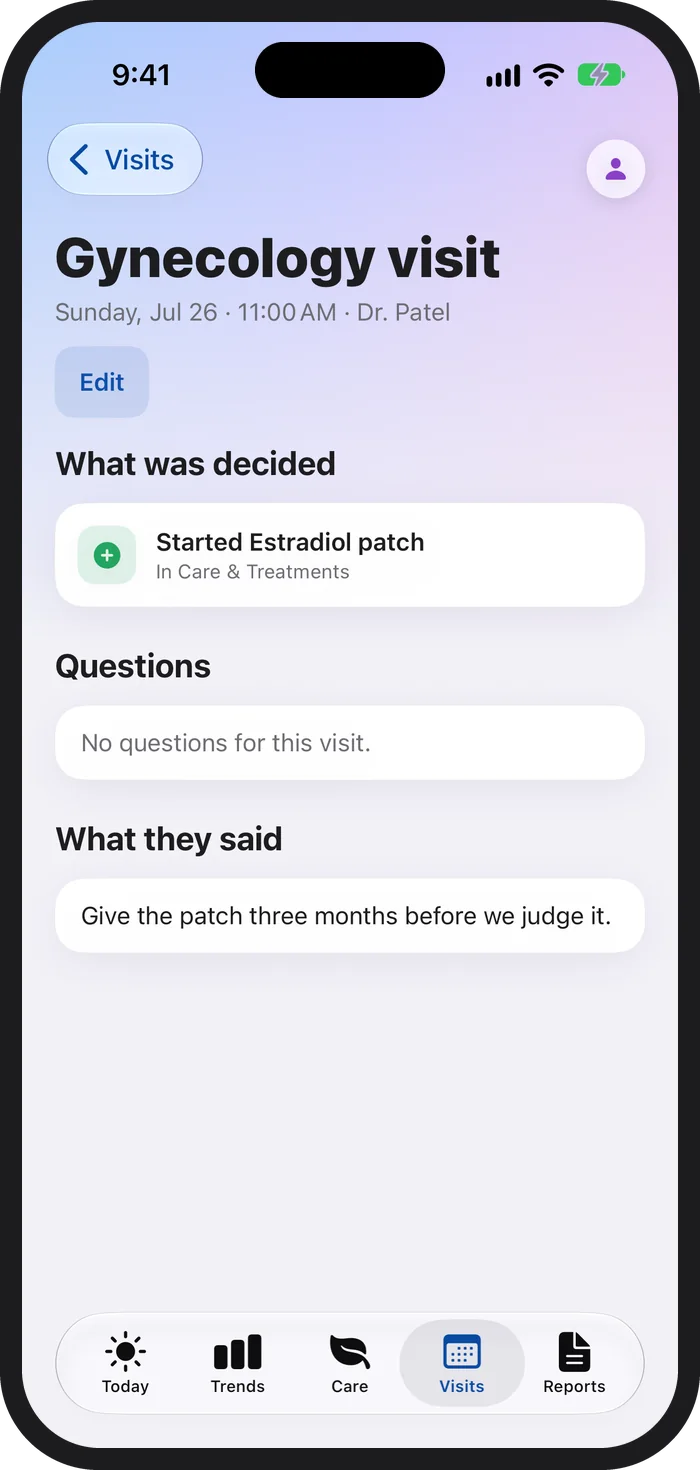
After each visit, PeriPal keeps what was decided and what was said, and shows what’s changed since, so the next conversation starts where the last one ended.
No more blanking in the exam room. Leave with a plan that’s written down.
7 · Widgets and Lock Screen: log it the moment it happens
Quick log puts your usual symptoms on the Home Screen as one-tap tiles. Tap once for mild, twice for moderate, three times for severe, and once more to clear. Morning asks how you slept. Your day carries a gentle line for the day ahead. Next up shows your next appointment and whether your notes are ready. The Lock Screen and Control Center work the same way, without opening the app.
In a meeting, on the commute or at 3 a.m. One tap, and no one else needs to know.
8 · Learn: reliable information, close at hand
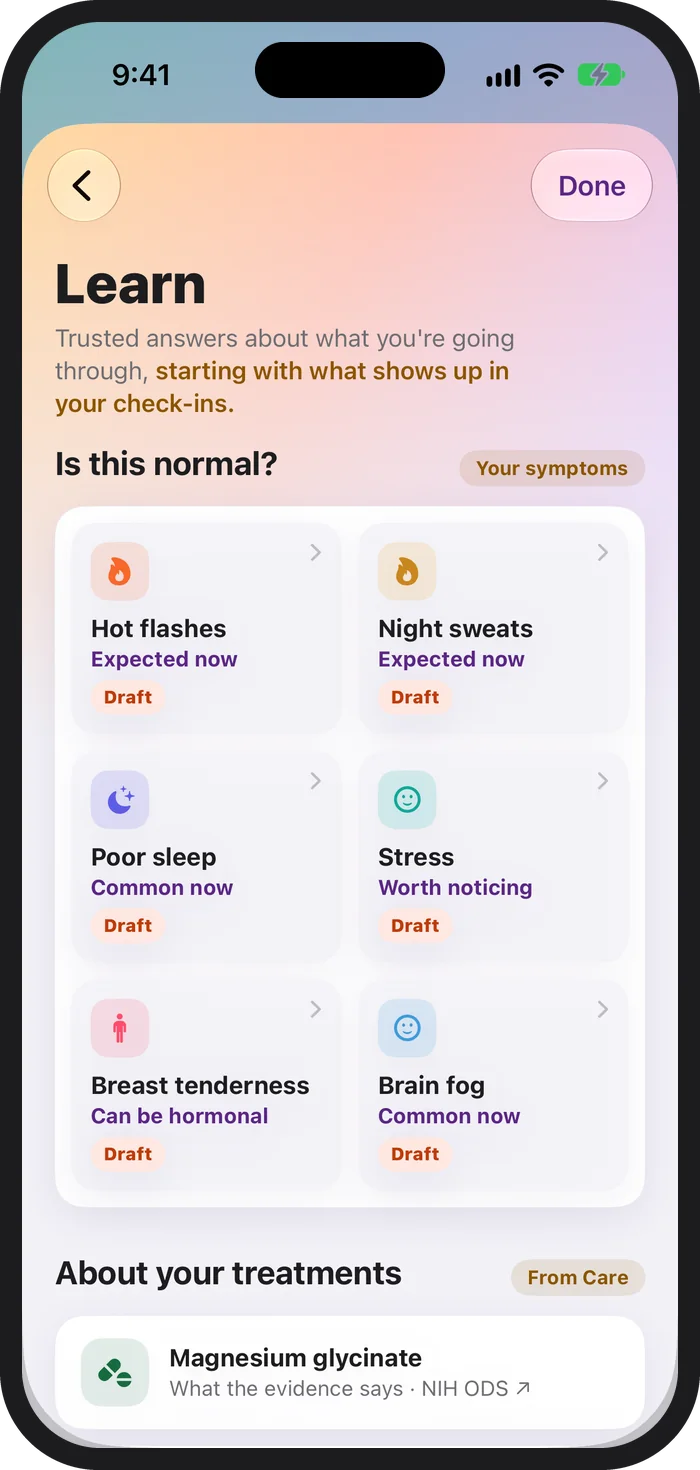
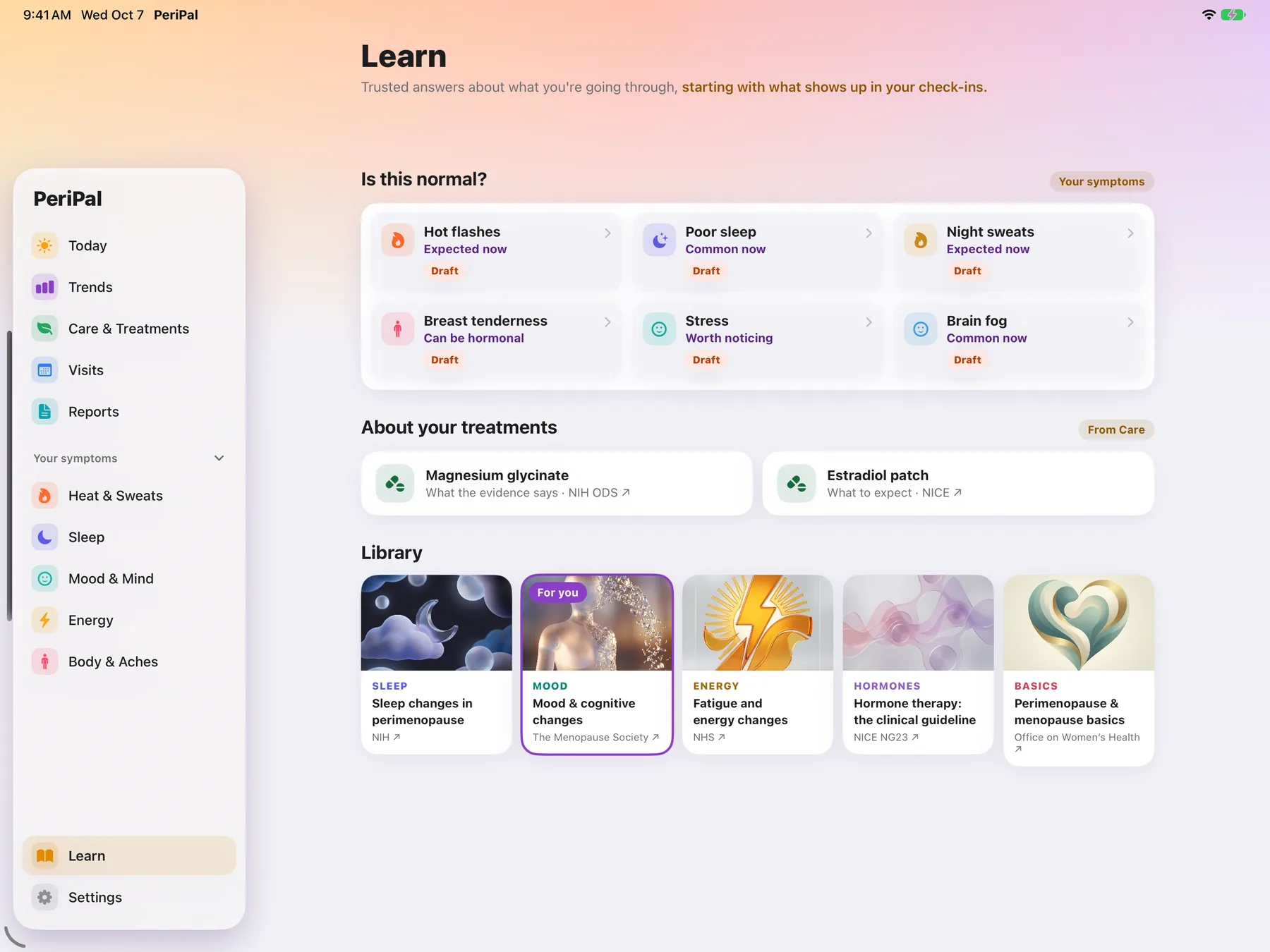
Learn starts from what shows up in your own check-ins: guides for the treatments you’re tracking, and a library of trusted resources from organizations like the NHS, NICE and The Menopause Society, linked to what you’re actually going through.
9 · Private by default. Prepared by design.
Track the most personal parts of your life without worrying who’s looking over your shoulder.
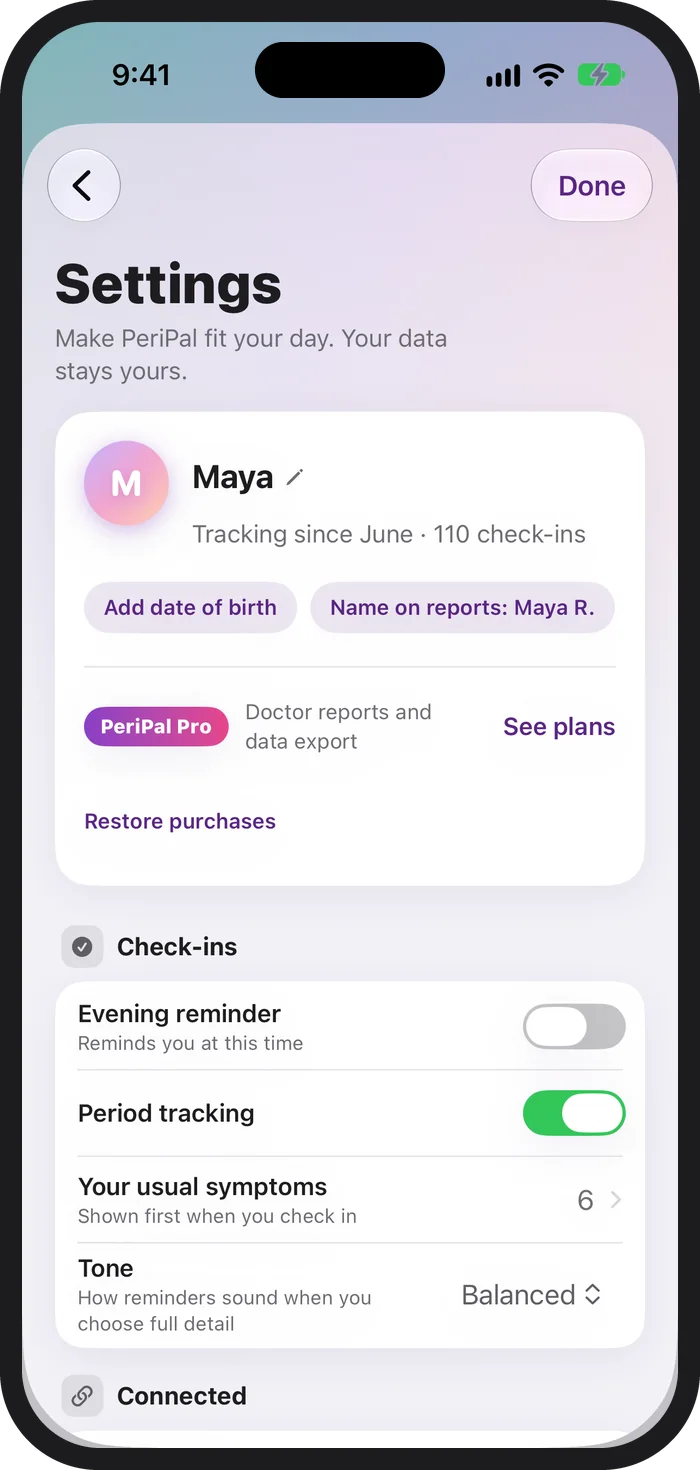
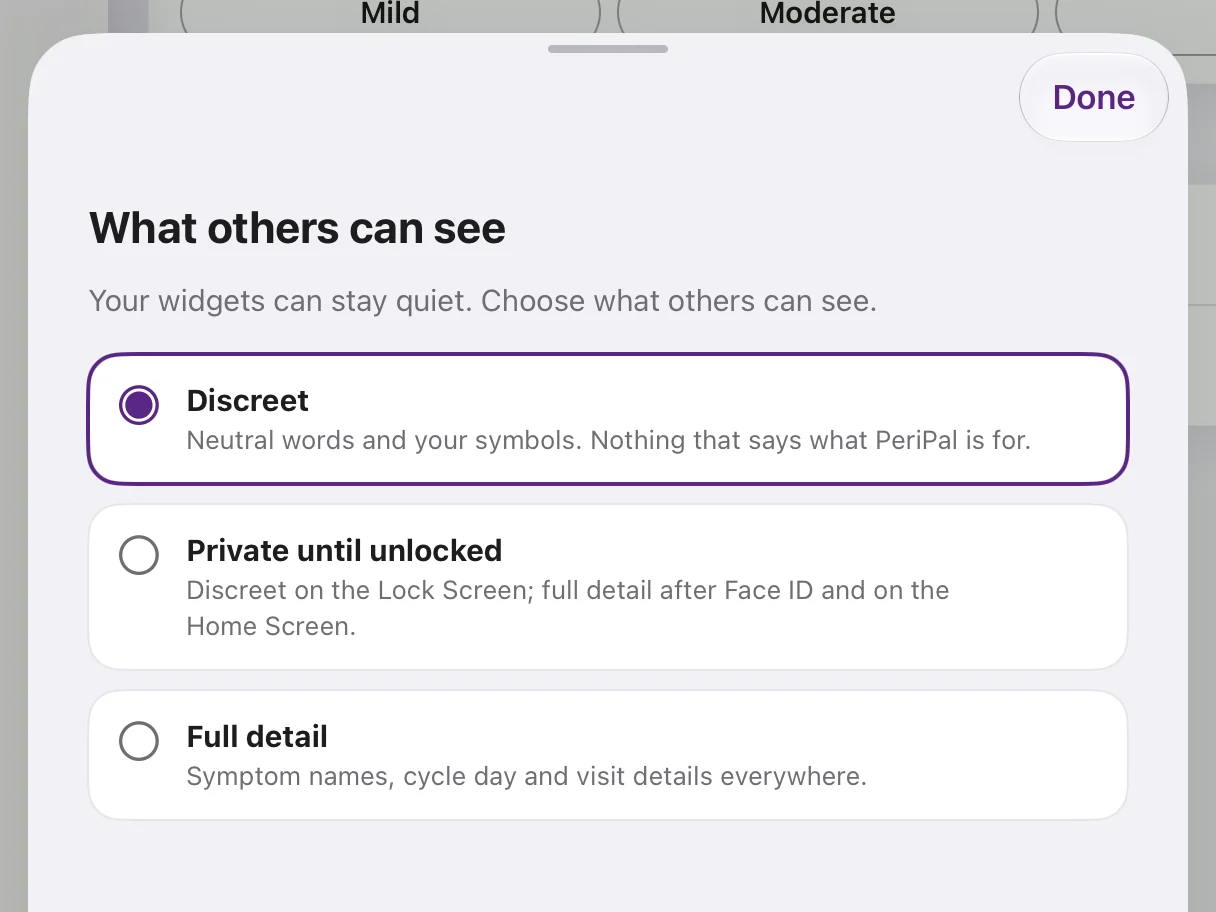
Turn on iCloud sync when you want your iPhone and iPad in step, through your own private iCloud. Sync covers what you log in PeriPal; your saved reports stay on the device where you made them. Apple Health is optional and read-only. Health readings stay on the device you connected, are left out of iCloud and device backups, and leave the device only in a report or export you choose to share. Delete everything at any time from Settings.
- Discreet by default. Widgets, the Lock Screen and notifications show your own nicknames and symbols, never symptom names.
- App Lock. Face ID, Touch ID or your device passcode.
- Your data stays on your device. iCloud sync is off by default.
- No ads, no tracking, no analytics. Revivr Studios never sees your health data.
Built for iPhone and iPad
At home on both.
On iPad, a sidebar layout puts charts and your Connections map side by side. Light and dark mode, your own text size, reduce motion, and VoiceOver support throughout.
Honest by design
It tells you when it doesn’t know.
“Too early to judge.” “No clear link.” “Linked, not proof of cause.” PeriPal would rather say so than guess, so what it does tell you is worth bringing to your doctor.
Free and Pro
What’s free, and what’s in Pro.
Checking in and every view of your own data are free, and so is your first full report. Pro adds the visit brief, more reports and the spreadsheet (CSV) export. Reports you’ve saved stay yours to open and share again, with or without Pro. And if you delete your data, you can first download a copy for free: a ZIP of spreadsheets with your check-ins, symptoms, cycle, treatments, visits and the Apple Health readings kept on that device.
PeriPal
Free
- Daily check-ins and the Today heads-up
- Trends, Connections and Your Days
- Care & Treatments with before-and-during treatment comparisons
- Visits, questions and visit mode
- Widgets, Lock Screen and Control Center
- App Lock, discreet mode and optional iCloud sync
- One free full report, once you have 14 check-in days in a 30-day stretch
- A free download of your data before you delete it
PeriPal Pro
$29.99 a year, or $79.99 once
- Everything in PeriPal
- The two-page visit brief
- Full reports shaped for your specialist
- One-treatment reports: a before-and-during treatment comparison on one page
- Spreadsheet (CSV) export of every check-in
- Each report kept in a private library behind App Lock
Your patterns. Your questions. A clearer conversation.
Bring what you’ve logged and what you want to ask to your next appointment.
PeriPal is free to download and coming soon to the US App Store. Your first full report is free. PeriPal Pro is $29.99 a year or $79.99 once.
PeriPal is a symptom tracker, not a medical device. It doesn’t diagnose or give medical advice. Talk to your healthcare provider about your symptoms and treatment.
PeriPal For iPhone and iPad. By Revivr Studios.